
Case Management Software That Actually Helps You Practice Law

Managing cases shouldn’t feel like managing chaos. CaseFuze gives you one place to track every matter fromintake to resolution, with all your tasks, deadlines, documents, and client communications organized exactlyhow you need them.
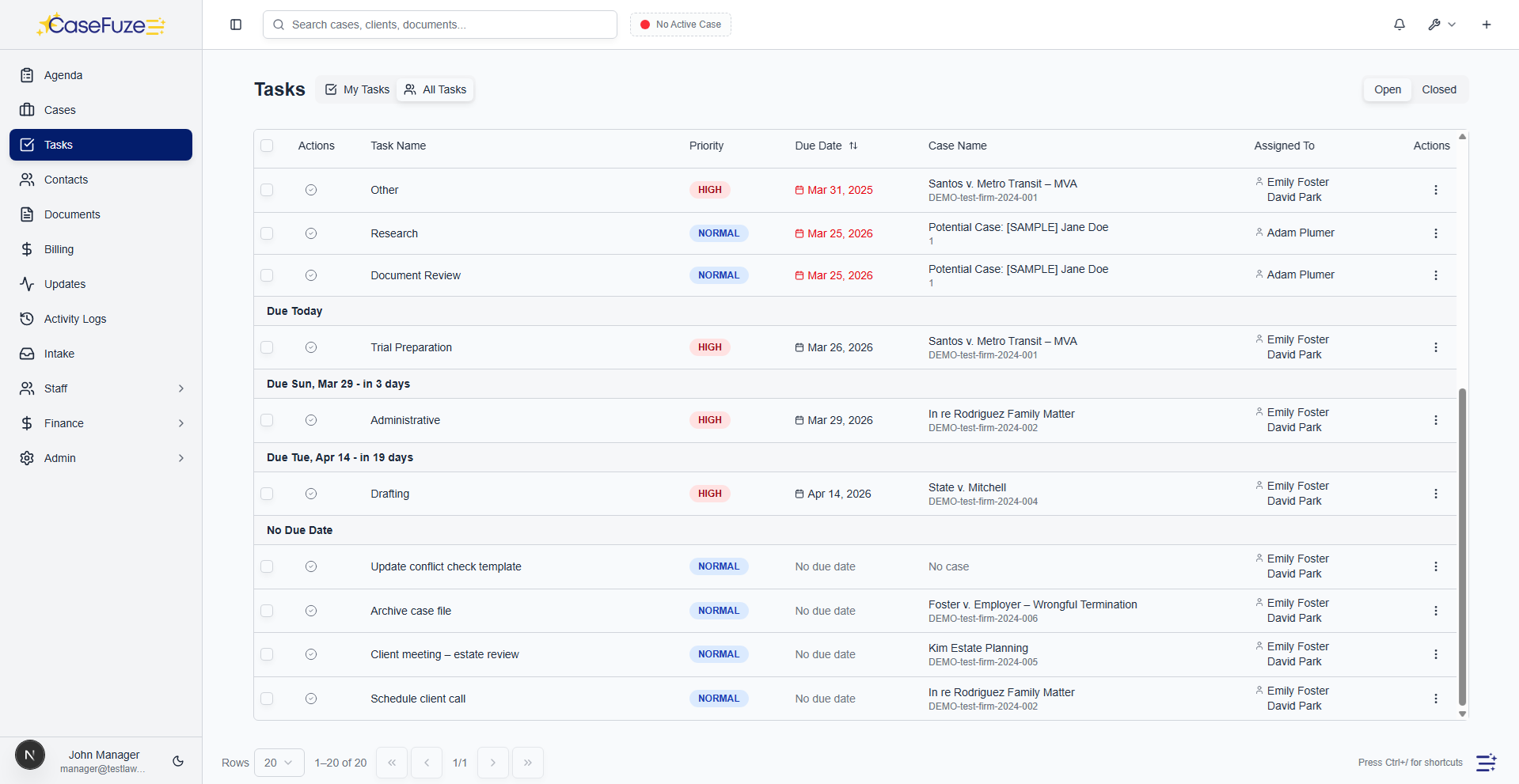
See Everything That Matters

The problem with most case management software is that it buries information across multiple screens, tabs, and menus. By the time you find what you need, you’ve forgotten why you were looking for it.

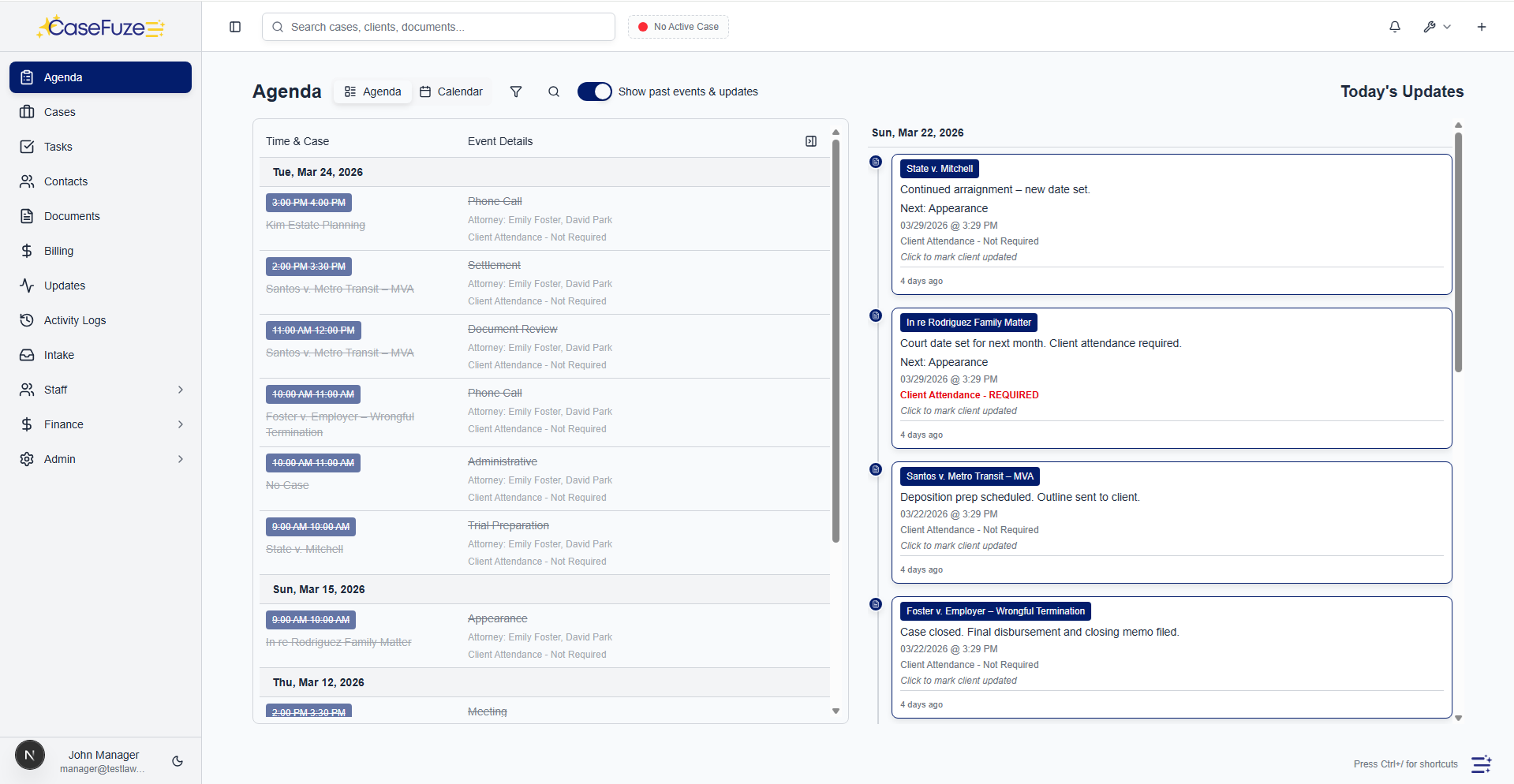
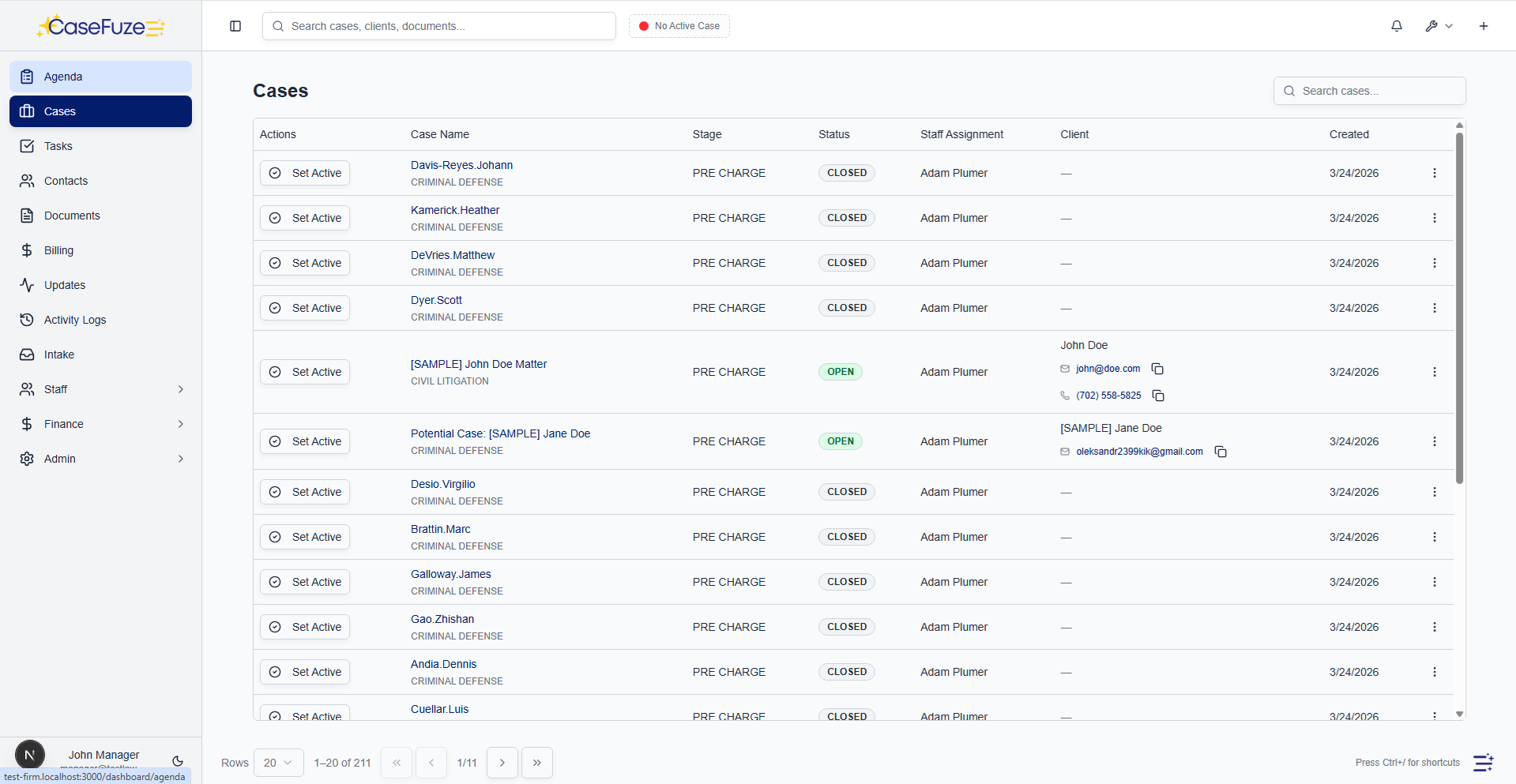
CaseFuze puts your entire case on one screen. Upcoming deadlines sit at the top. Recent activity shows youwhat happened today. Documents are one click away. Client contact information is always visible. Tasks areorganized by status, not by some arbitrary system the software developer thought made sense.

This layout isn’t just prettier. It makes you faster. When a client calls asking about their case, you’re looking at the answer before they finish asking the question.

Custom Fields For Every Practice Area

Every practice area tracks different information. Personal injury cases need medical providers, treatment dates, and insurance details. Family law cases need custody schedules, asset lists, and court orders. Immigration cases need visa types, filing dates, and USCIS receipt numbers.

CaseFuze lets you customize fields for each practice area. Add the fields you actually need. Remove the ones you don’t. Organize them in the order that makes sense for how your firm works.

These aren’t just text boxes. You can create dropdown menus, date pickers, currency fields, yes/no checkboxes, and calculated fields that automatically update based on other information. If your personal injury cases need afield that calculates policy limits minus medical bills, you can build that.

How CaseFuze Simplifies Case Management Software That Actually Helps You Practice Law

Case Management Software That Actually Helps You Practice Law

Managing cases shouldn't feel like managing chaos. CaseFuze gives you one place to track every matter fromintake to resolution, with all your tasks, deadlines, documents, and client communications organized exactlyhow you need them.

Task Management That Doesn't Get In Your Way

Task Management That Doesn't Get In Your Way

Tasks are how work gets done.

  • Recurring tasks for routine work (monthly status updates, quarterly reviews, annual renewals)
  • Task dependencies so follow-up work doesn't start until prerequisites finish
  • Time tracking integration so you can bill directly from tasks
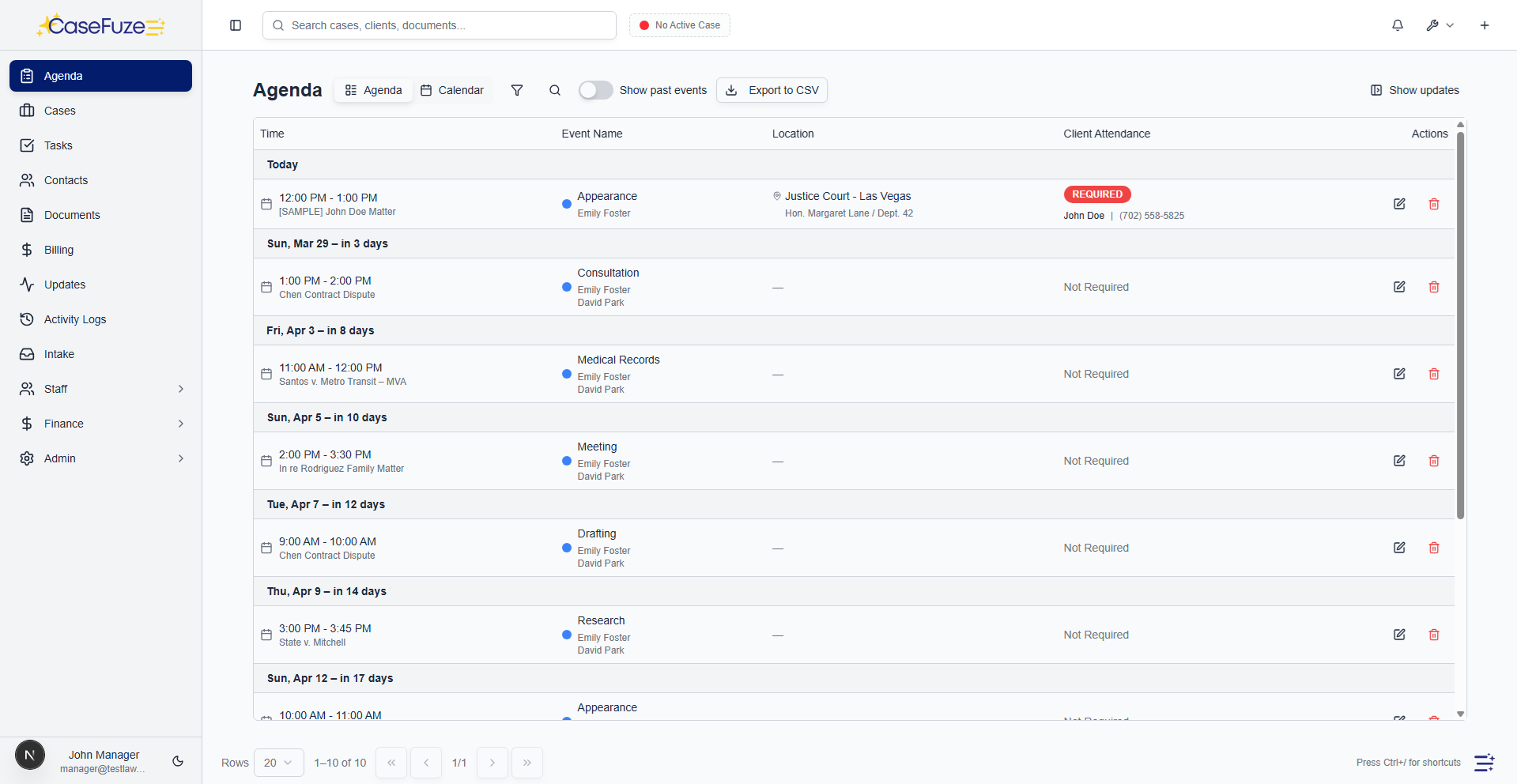
Task Management That Doesn't Get In Your Way

Tasks are how work gets done. But most case management software treats tasks like items on a grocery list. Check the box, mark it complete, move on. Real legal work doesn’t work that way.

CaseFuze’s tasks include context. Every task shows the case it’s attached to, who assigned it, when it’s due, and what documents or information you might need to complete it. You can add notes, attach files, and tag other team members without leaving the task.

Task features that actually matter:

  • Recurring tasks for routine work (monthly status updates, quarterly reviews, annual renewals)
  • Task dependencies so follow-up work doesn’t start until prerequisites finish
  • Time tracking integration so you can bill directly from tasks
  • Email notifications that don’t overwhelm your inbox
  • Mobile access for checking tasks from court or client meetings

Deadline Tracking That Keeps You Compliant

Missing a statute of limitations can destroy a case and your malpractice insurance premiums. Court deadlines don’t care that you were busy with other cases.

CaseFuze calculates deadlines automatically based on your jurisdiction’s rules. Enter a complaint filing date and the system generates all related deadlines: answer due dates, discovery cutoffs, motion filing deadlines, trial dates. It adjusts for weekends, holidays, and court closures.
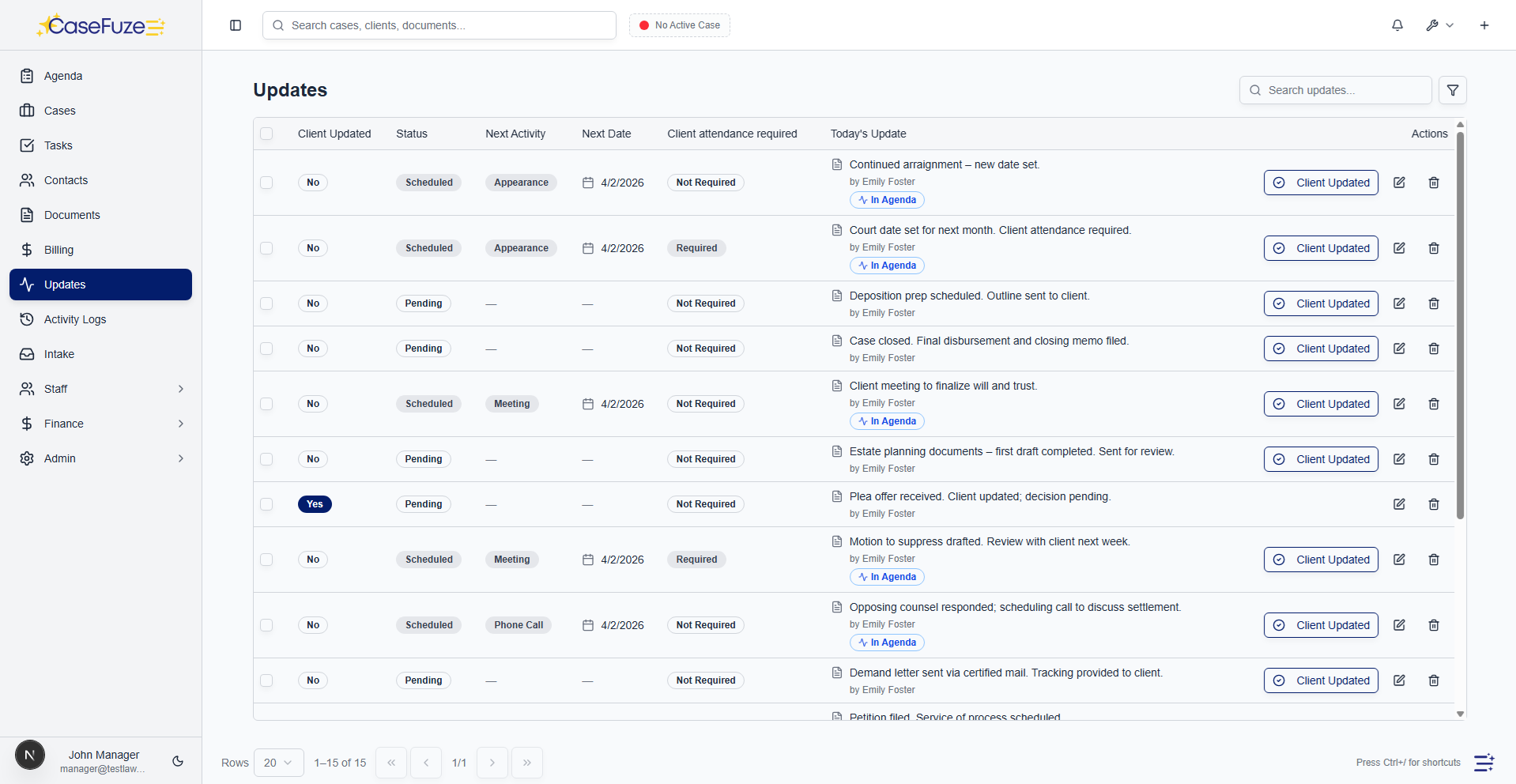
You can customize these calculations for your jurisdiction. Different states have different rules. Different courts have local rules that override state rules.

CaseFuze adapts to whatever rules you practice under.

Deadline reminders hit your calendar, your email, and your mobile app. Set multiple reminders (30 days out, 7days out, day before) so nothing sneaks up on you.

Client Communication History?

Phone calls, emails, text messages, in-person meetings. Client communication happens across multiple channels, and most of it never gets properly documented.

CaseFuze includes a communication log on every case. Record phone calls with notes about what was discussed. Forward emails into the case and they attach automatically. Log meetings and who attended.
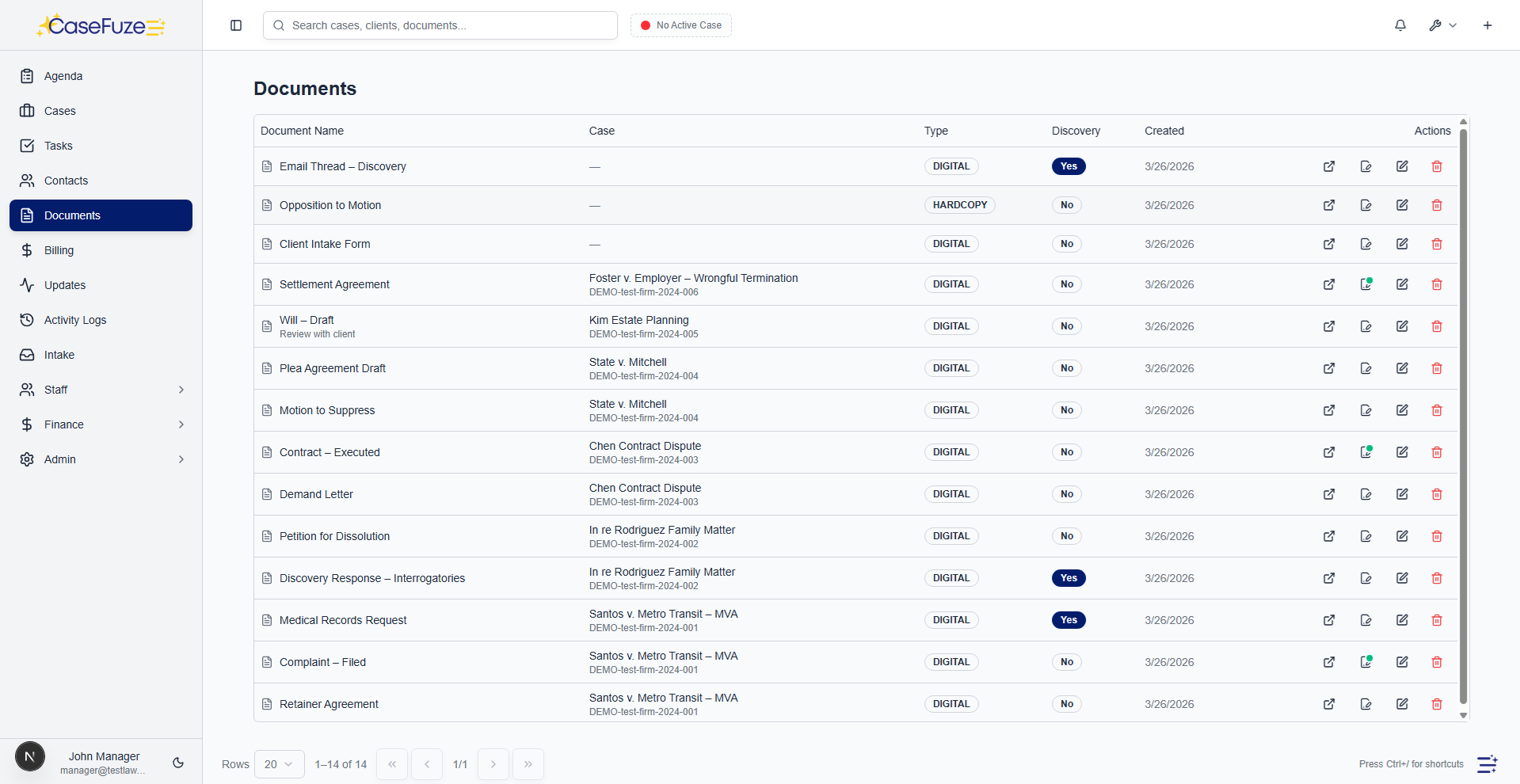
Everything stays in chronological order with timestamps and author attribution.

This isn’t just for your reference. When a client calls claiming you never told them about a settlement offer, you can pull up the exact date you discussed it, what you said, and what they agreed to. When opposing counsel says they never received your discovery responses, you can show the email confirmation with delivery receipt.

Document Organization That Makes Sense

Legal work generates documents. Complaints, answers, motions, discovery responses, contracts, correspondence, medical records, police reports, expert reports. Most of these documents need to be in your case file, but finding the right document when you need it shouldn’t require scrolling through hundreds of files.

CaseFuze organizes documents by category, date, author, and custom tags. Looking for the opposition’s motion to compel from last month? Filter by document type and date. Need all medical records from Dr. Johnson? Search by provider name. Want everything related to the accident scene? Search by tag.

Upload documents from your computer, email them directly into the case, or scan them with your phone. Thesystem handles PDFs, Word documents, images, spreadsheets, and just about any other file type you might need.

Version control keeps track of every revision. Need to see what the contract looked like before the client’s edits?CaseFuze saves every version with timestamps showing who changed what.

Calendar Integration

Your case management software should talk to your calendar, not force you to maintain two separate schedules.

CaseFuze syncs with Google Calendar, Outlook, and Apple Calendar. Court dates, client meetings, deadlines, and tasks all appear on your calendar automatically. Changes in CaseFuze update your calendar. Changes in your calendar update CaseFuze.

This two-way sync means you can schedule client meetings from your phone’s calendar app and the appointment appears in the case file automatically. Mark a task complete in CaseFuze and it disappears from your calendar. Reschedule a court date and all related deadlines recalculate automatically.

Court Rules Databases

Different jurisdictions have different rules for calculating deadlines, filing requirements, and procedure. Trying to remember whether your state gives you 20 or 30 days to respond to a motion is asking for trouble.

CaseFuze includes court rules databases for major jurisdictions. Select your court and the system applies the correct calculation rules automatically. Filing a federal case in the Northern District of California? Federal Rules of Civil Procedure apply. Filing a state case in Los Angeles Superior Court? California state rules with local LA rules apply.
These databases update when rules change. When a jurisdiction modifies its discovery timeline, your deadlines adjust automatically on active cases.

Reporting That Tells You What You Need To Know

How many cases did you close last quarter? What’s your average time from intake to settlement? Which attorneys have the highest caseload? Which practice areas generate the most revenue?

CaseFuze’s reporting answers these questions without making you export data to Excel.

Available reports:

  • Case status reports showing open/closed matters by practice area, attorney, or time period
  • Task completion reports identifying bottlenecks and overdue work
  • Document reports showing what’s been filed and what’s missing
  • Time-to-resolution reports tracking case lifecycle from intake to close
  • Custom reports using any fields in your database


Schedule reports to run automatically and email to partners, administrators, or your management team. Export to PDF for client updates or Excel for deeper analysis.

Collaboration Tools For Your Entire Team

Solo practitioners might work alone, but most cases involve multiple people. Attorneys, paralegals, assistants, experts, co-counsel. Everyone needs access to case information, but not everyone needs access to everything.

CaseFuze’s role-based permissions let you control who sees what. Paralegals can access case documents and tasks but not billing information. Associates can work on assigned cases but not view firm financials. Clients can see their own case updates through the client portal but can’t access other cases.

Team features:

  • Internal notes that clients never see
  • @mentions to notify specific team members
  • Task assignments with automatic email notifications
  • Shared calendars showing who’s doing what
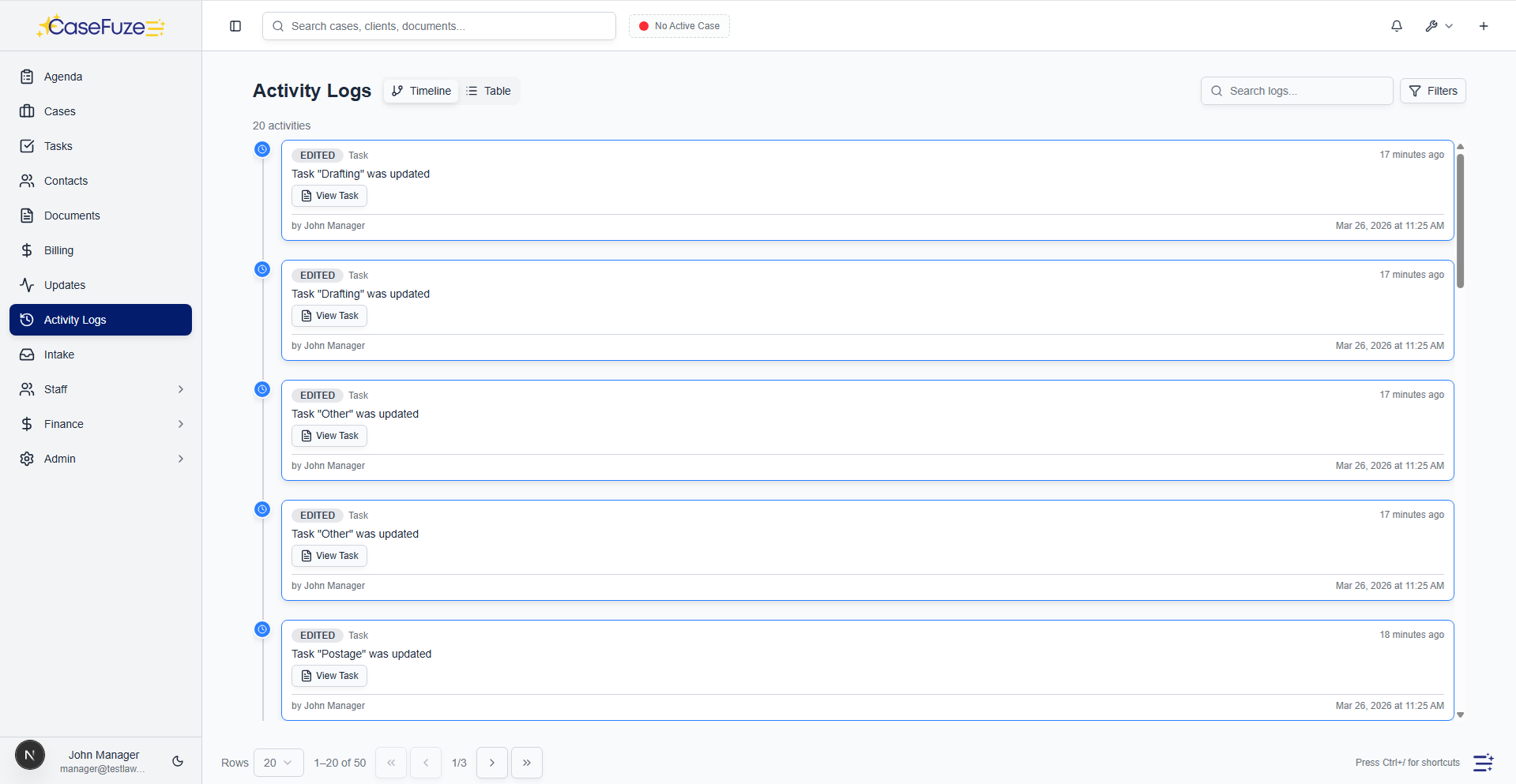
  • Activity feeds showing recent work on each case


When multiple people work on the same case, CaseFuze prevents conflicts. You can’t save changes to a document someone else is editing. Task assignments show who’s responsible for what. Notes include timestamps showing who added what information when.

Simple & Transparent Pricing

CaseFuze keeps pricing straightforward'$49 per user, per month with every feature included. No tiers, no hidden add-ons, and no confusing upgrade paths. From legal case management software essentials like matters, billing, and trust accounting to advanced tools for HR, reporting, and automation, you get it all in one plan. As your firm grows, simply add users and scale without worrying about extra costs.

All in One

$49/ User / Month

Flat-rate pricing that covers your entire firm. No tiers. No hidden costs. No add-ons.

Includes:

Why CaseFuze Pricing Works for Every Firm

CaseFuze is designed to remove complexity not only from practice management but also from how you pay for it. With one flat rate of $49 per user, per month, you get unlimited access to the complete platform, matters, billing, IOLTA trust accounting, HR operations, documents, and mobile apps, all included from day one. There are no confusing tiers, hidden add-ons, or upgrade traps. This keeps costs predictable and allows your team to focus on serving clients instead of managing multiple subscriptions.

Our pricing model also scales naturally as your firm grows. Whether you're a solo attorney adding your first assistant or a small team expanding into multiple practice areas, every new user joins the same flat-rate plan with full access to all features. That means you don't lose functionality as you grow, and you never have to pay extra just to unlock core tools. CaseFuze makes it easy to budget with confidence, knowing that everything you need is already included.

All-in-One Access

One plan includes case management, billing, documents, trust accounting, and HR tools.

Scales With Your Firm

Add new users seamlessly while keeping the same predictable plan.

No Hidden Costs

Transparent pricing ensures your software budget is stable and reliable.