
Payment Processing That Keeps More Money in Your Pocket

Processing fees eat into your revenue. Most legal software charges 3-4% per transaction, which adds up fast when you’re processing thousands in client payments monthly. A $10,000 settlement payment costs you $300- 400 in fees with typical processors. CaseFuze operates its own payment infrastructure. That means substantially lower processing fees and more money staying in your firm instead of going to middlemen.
Lower Fees That Actually Matter

Here’s the reality: when you process $500,000 in client payments annually at 3.5% fees, you’re losing $17,500 to payment processing. That’s real money that could go to staff bonuses, marketing, or your own compensation.

CaseFuze’s fees are significantly lower because we built our own payment processing infrastructure instead of reselling someone else’s service. We’re not marking up third-party processors to make profit. The savings get passed directly to you.

This difference compounds over time. A mid-size firm processing $2 million annually could save $30,000- 50,000 per year on processing fees alone. That’s an associate’s salary or substantial marketing budget.

Multiple Payment Methods

Clients want payment flexibility. Some prefer credit cards for rewards points. Others use debit cards. Many prefer ACH bank transfers to avoid card fees entirely.

CaseFuze accepts all major payment methods:

  • Credit cards (Visa, Mastercard, American Express, Discover)
  • Debit cards with lower processing fees than credit
  • ACH bank transfers for large payments with minimal fees
  • Digital wallets (Apple Pay, Google Pay) for mobile convenience


Each method processes through the same integrated system. Clients choose their preferred payment option, enter details once, and complete payment. Funds deposit to your account according to standard processing schedules (1-3 business days for cards, 3-5 days for ACH).

How CaseFuze Simplifies Payment Processing That Keeps More Money in Your Pocket

Payment Processing That Keeps More Money in Your Pocket

Processing fees eat into your revenue. Most legal software charges 3-4% per transaction, which adds up fast when you're processing thousands in client payments monthly. A $10,000 settlement payment costs you $300- 400 in fees with typical processors. CaseFuze operates its own payment infrastructure. That means substantially lower processing fees and more money staying in your firm instead of going to middlemen.

Integrated With Billing

Integrated With Billing

Payment processing shouldn't be separate from invoicing.

  • CaseFuze connects payment processing directly to billing.
  • Generate an invoice, send it to the client with a "Pay Now" button, they click and pay, and the payment applies to the invoice automatically.
  • Your accounting updates immediately.

Integrated With Billing

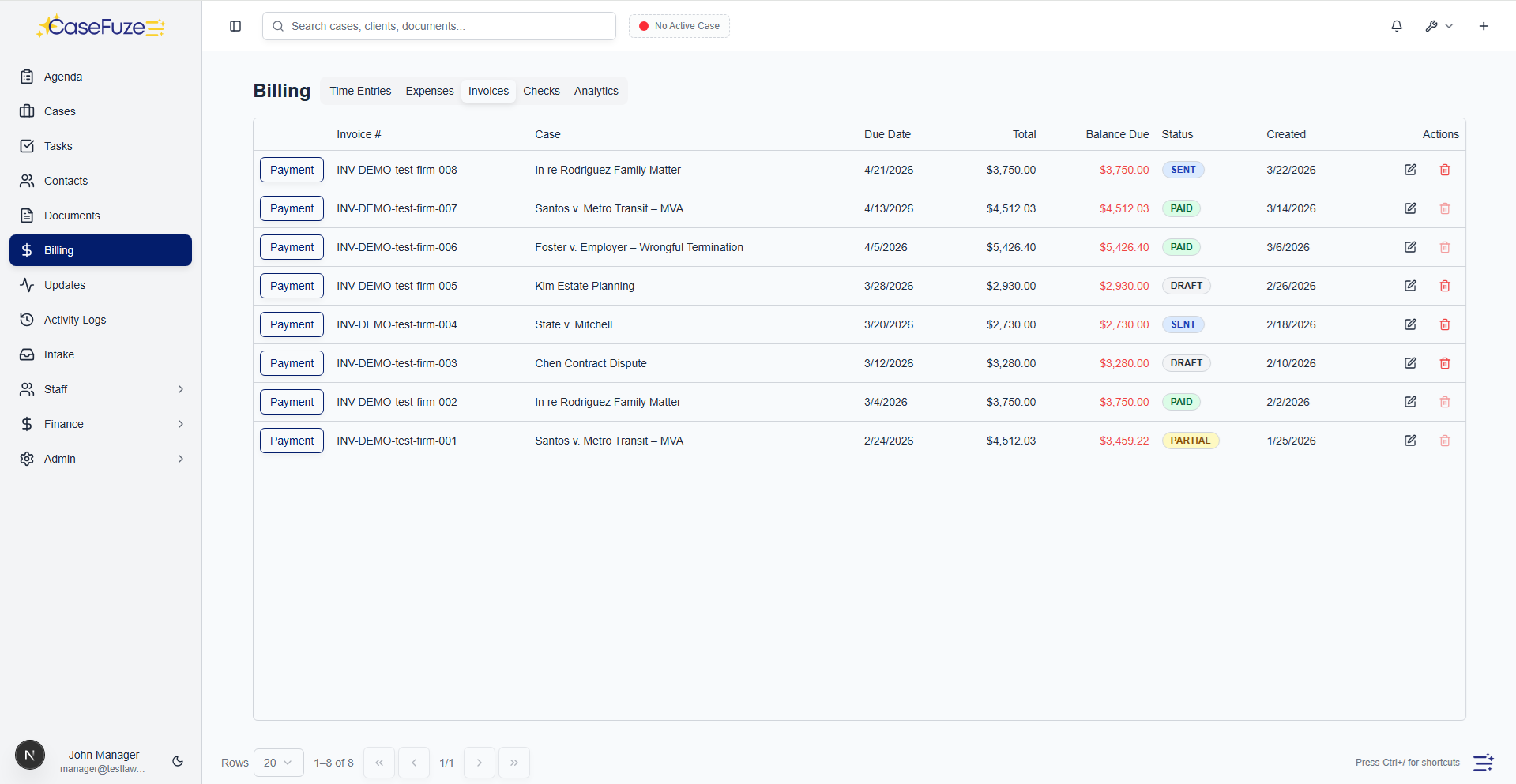
Payment processing shouldn’t be separate from invoicing. When clients pay invoices, the payment needs to apply automatically without manual reconciliation.

CaseFuze connects payment processing directly to billing. Generate an invoice, send it to the client with a “Pay Now” button, they click and pay, and the payment applies to the invoice automatically.

Your accounting updates immediately. The invoice marks as paid. Client balances adjust. Trust accounts update if payment came from retainer funds. Your bookkeeper doesn’t need to manually match payments to invoices.

This integration eliminates the reconciliation nightmare most firms face at month-end trying to figure out which payments belong to which invoices.

Client Portal Payment

Clients can pay invoices through the secure client portal without needing special payment links or logging into separate payment systems.

They log into their portal, see outstanding invoices, click “Pay” on any invoice, and complete payment using saved payment methods or new payment information. Receipts generate automatically and email to both the client and your accounting team.

For retainer replenishment, clients see their current trust balance and can add funds with a few clicks. This self- service approach eliminates phone calls to your office asking “how do I pay my bill?”
Saved Payment Methods

Requiring clients to enter credit card information every time they pay creates friction. They need to find their card. They might enter numbers incorrectly. The process takes longer than necessary.

CaseFuze securely stores payment methods for returning clients. After their first payment, they can save the card or bank account for future use. Subsequent payments use the saved method with just a confirmation click.

This vault functionality is PCI-compliant and secure. Card numbers are tokenized and encrypted. Your staff never sees full card numbers. Clients can update or delete saved methods anytime through the portal.

Saved payment methods enable powerful automation like recurring billing and payment plans, which we’ll discuss next.

Recurring Billing

Some legal services bill on recurring schedules. Monthly retainers for in-house counsel services. Subscription legal plans. Ongoing compliance monitoring. Payment plans for large fees.

CaseFuze automates recurring charges. Set up the schedule (monthly, quarterly, annually), specify the amount, select the payment method, and the system charges automatically on schedule.

Clients receive email notifications before each charge. Failed payments trigger retry logic and alert both the client and your billing team. Successful payments apply to the appropriate invoice or account automatically.

This automation eliminates manual invoicing for recurring services. You don’t need to remember to charge monthly retainers. The system handles it reliably month after month.

Payment Plans

Large legal fees often require payment plans. Few clients can write $50,000 checks immediately, but they can pay $5,000 monthly for ten months.

CaseFuze structures payment plans with automated installment processing:

  • Define payment schedule (weekly, bi-weekly, monthly)
  • Set installment amounts (equal payments or custom schedules)
  • Select payment method for automatic charging
  • Configure what happens if payments fail (retry, suspend, notify)


Clients see the full payment schedule and agree to automatic charges. The system processes each installment automatically, applies it to the outstanding balance, and tracks progress toward completion.

Failed payment handling includes automatic retries (avoiding one-time card issues), client notifications, and optional late fees or suspension of services until payment catches up.

One-Click Refunds

Sometimes you need to refund payments. Cases settle differently than expected. Clients overpay. Trust funds need to return to clients.

CaseFuze processes refunds with a few clicks directly from the original payment record. Select the payment, choose full or partial refund, click confirm. The refund processes back to the original payment method automatically.

Refund records link to original payments maintaining complete audit trails. Your accounting adjusts appropriately. Client trust ledgers update if applicable. Everything stays synchronized across systems.

Trust Account Deposits

Many clients pay retainers into trust accounts before work begins. These payments need special handling to comply with bar rules about client funds.

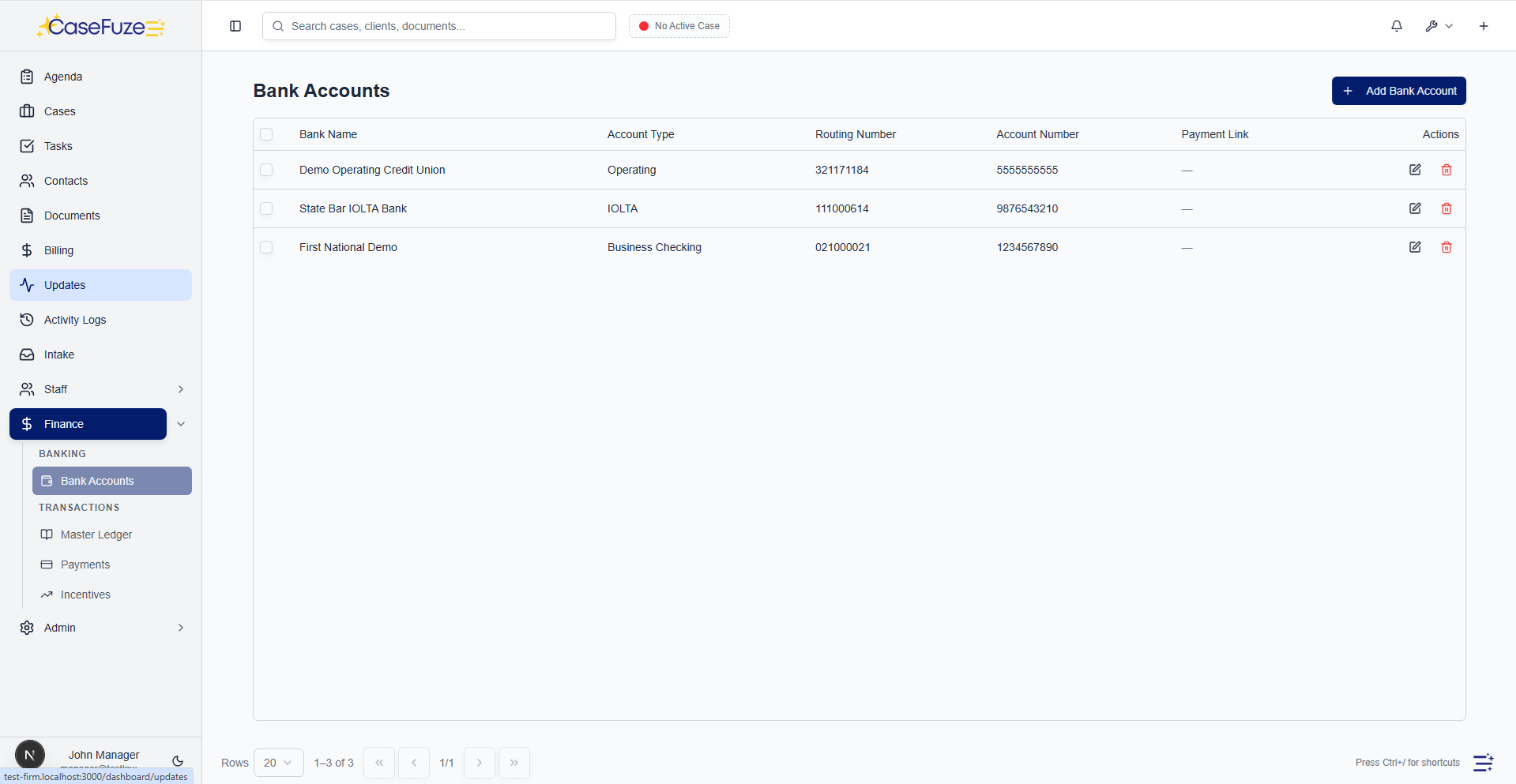
CaseFuze processes trust deposits and routes them appropriately based on your jurisdiction’s requirements. Some states require all retainer payments to flow through trust accounts. Others allow operating account deposits for earned retainers.

The system tracks trust deposits separately from operating payments, maintains proper ledgers for each client, and ensures funds can only be withdrawn following proper procedures after fees are earned and invoiced.

When you generate invoices and apply trust funds, the system handles the trust-to-operating transfer automatically while maintaining the documentation state bars require.

International Payments

Firms with international clients need to accept payments in foreign currencies and handle currency conversion.

CaseFuze supports international payment processing with automatic currency conversion. A client in Canada can pay in CAD, a client in Europe pays in EUR, and funds convert to USD (or your base currency) automatically.

Exchange rates update daily to ensure accurate conversion. Clients see charges in their local currency. You receive payment in your currency. The system handles conversion complexity behind the scenes.
International ACH and wire transfers also work through the same integrated system, providing options for large international payments where card fees would be prohibitive.

Security and Compliance

Payment processing requires strict security. Handling credit card data involves PCI compliance. Processing ACH requires bank-level security. Client financial information needs protection from unauthorized access.

CaseFuze maintains PCI DSS Level 1 compliance (the highest security standard for payment processors). All card data is encrypted in transit and at rest. Tokenization ensures card numbers never appear in logs or database records. Annual security audits verify compliance.
ACH processing follows NACHA rules for authorization, fraud prevention, and error handling. Bank account information is encrypted and access-controlled.

These security measures happen automatically. You don’t need to become a security expert or implement special procedures. CaseFuze handles compliance while you process payments normally.

Fraud Prevention

Payment fraud happens. Stolen cards. Unauthorized transactions. Chargebacks from disputed services. Fraud attempts cost money and create administrative headaches.

CaseFuze includes fraud detection monitoring all transactions:

  • Address verification to confirm billing address matches card
  • CVV verification to ensure physical card possession
  • Velocity checking to detect unusual payment patterns
  • Risk scoring based on payment history and client relationship
  • Manual review options for high-value or suspicious transactions


These checks happen automatically during payment processing. Legitimate payments sail through. Suspicious transactions get flagged for review before processing. This protects your firm from fraudulent charges and associated chargeback fees.

Reporting and Reconciliation

Payment processing generates financial data that needs reporting and reconciliation with your accounting systems.

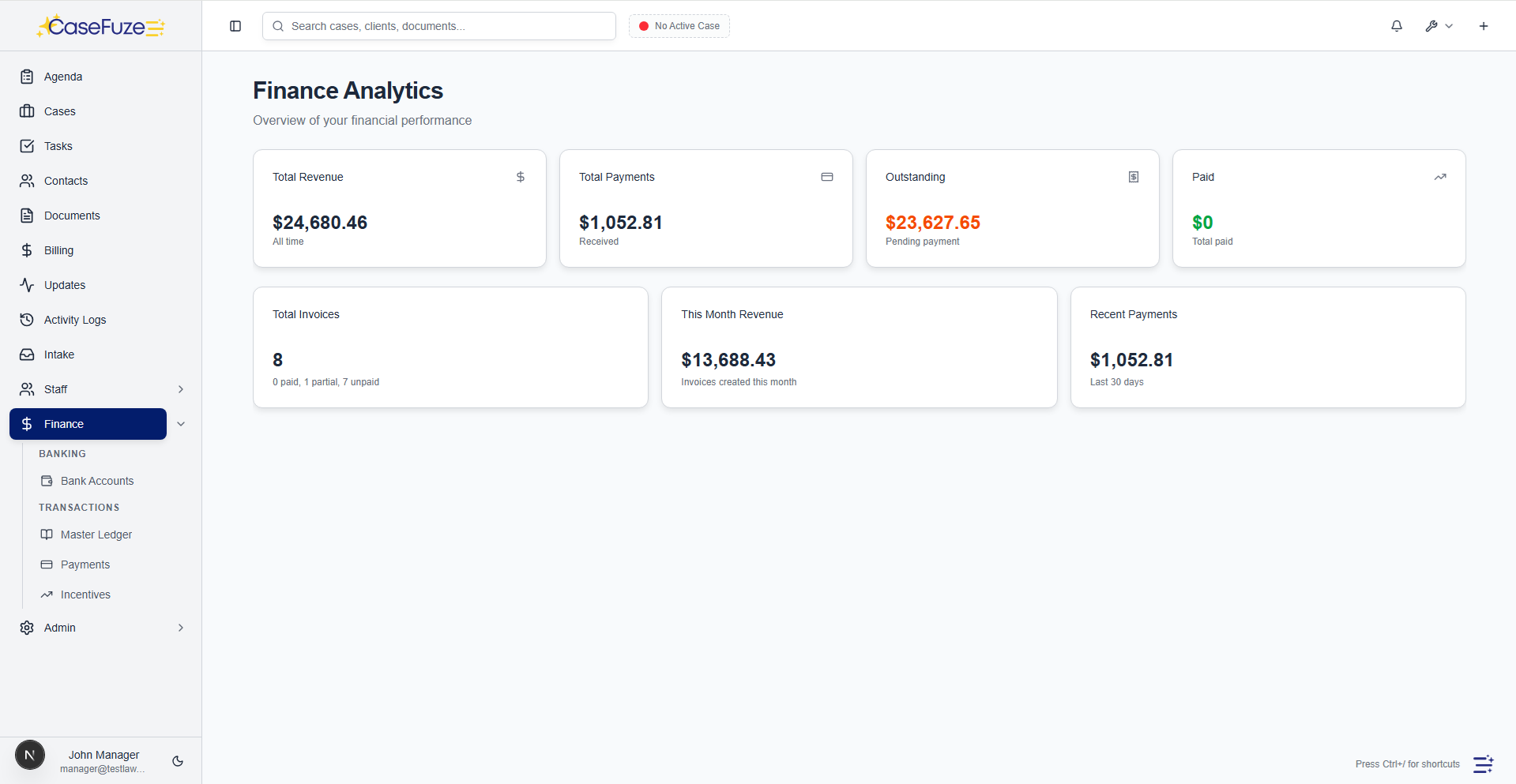
CaseFuze’s payment reports show:

  • Daily deposit reports showing what’s hitting your bank account
  • Payment method breakdowns (cards vs ACH vs other)
  • Fee analysis showing processing costs by transaction type
  • Failed payment reports identifying collection issues
  • Reconciliation reports matching payments to invoices and bank deposits


Export these reports to Excel or PDF for accounting purposes. Schedule automatic delivery to your bookkeeper. Integrate with QuickBooks or similar accounting software for seamless general ledger updates.

Client Payment History

Clients sometimes question what they’ve paid and when. Your staff shouldn’t need to dig through bank records to answer these questions.

Every client’s payment history is visible from their case or contact record. See all payments processed, dates, amounts, methods used, and which invoices they applied to. Generate payment summaries for client records or tax purposes.

This transparency reduces payment disputes. When clients can see their complete payment history with receipts for every transaction, questions get answered quickly and accurately.

Mobile Payment Processing

Not all payments happen at desks. Clients might want to pay during consultations, at court, or during settlement conferences.

CaseFuze’s mobile apps include full payment processing capabilities. Enter payment amount, select payment method (or add new card), process payment from your phone or tablet. The transaction posts immediately to the client’s account and your financial records.

This mobile capability is particularly useful during settlement conferences where agreements are reached and clients want to pay retainer balances or make initial payments immediately.

Virtual Terminal

Sometimes you need to process payments over the phone or from information clients provide verbally. The virtual terminal handles these card-not-present transactions.

Enter card information manually, specify the amount and invoice, process payment. The transaction runs through the same processing infrastructure with appropriate security and documentation.

Virtual terminal transactions include notes fields to record authorization details (“client called and provided card information” or “payment taken during phone consultation”). This documentation protects you if transactions are later disputed.

Chargeback Management

Chargebacks happen when clients dispute charges with their card issuer. The bank reverses the payment and you need to respond with evidence that the charge was legitimate.

CaseFuze handles the chargeback process:

  • Immediate notification when chargebacks occur
  • Automatic compilation of evidence (invoices, engagement letters, communication records)
  • Response submission to card networks through proper channels
  • Status tracking until resolution


Most chargebacks for legal services result from client misunderstandings rather than fraud. Comprehensive evidence showing services were agreed to and provided usually resolves disputes in your favor.

The system maintains documentation making chargeback responses straightforward. Engagement letters signed electronically, invoices showing services performed, and payment authorizations all contribute to successful dispute resolution.

No Setup Fees or Monthly Minimums

Many payment processors charge setup fees, monthly minimums, or require long-term contracts. These costs add up before you process a single payment.

CaseFuze includes payment processing in the standard subscription. No separate setup. No monthly minimum processing volumes. No contract requirements beyond your CaseFuze subscription.
Process one payment per month or thousands. Either way, you pay only the per-transaction fee (which is substantially lower than competitors). No penalties for low volume months or seasonal fluctuations.

Support for Payment Issues

Payment processing involves occasional issues. Failed transactions. Declined cards. Bank account verification problems. Clients confused about payment options.

CaseFuze’s support team helps resolve payment problems. Most issues get handled through chat or email support within minutes. Complex situations involving bank coordination get escalated appropriately.
Support includes both technical assistance (transaction failed, why?) and client education (how to update saved payment methods, how to set up autopay). Your staff and clients both get help when needed.

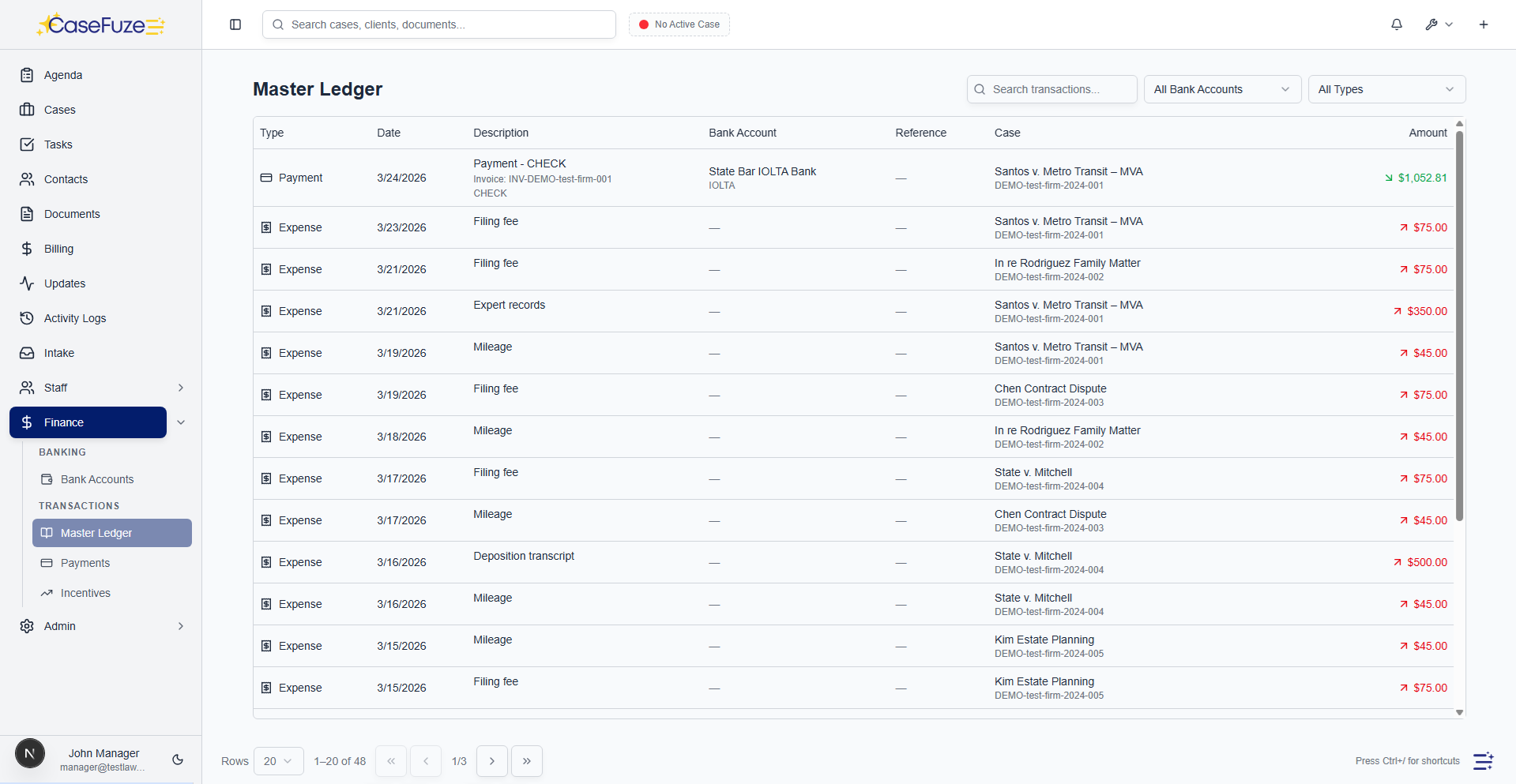
Payment processing integrations

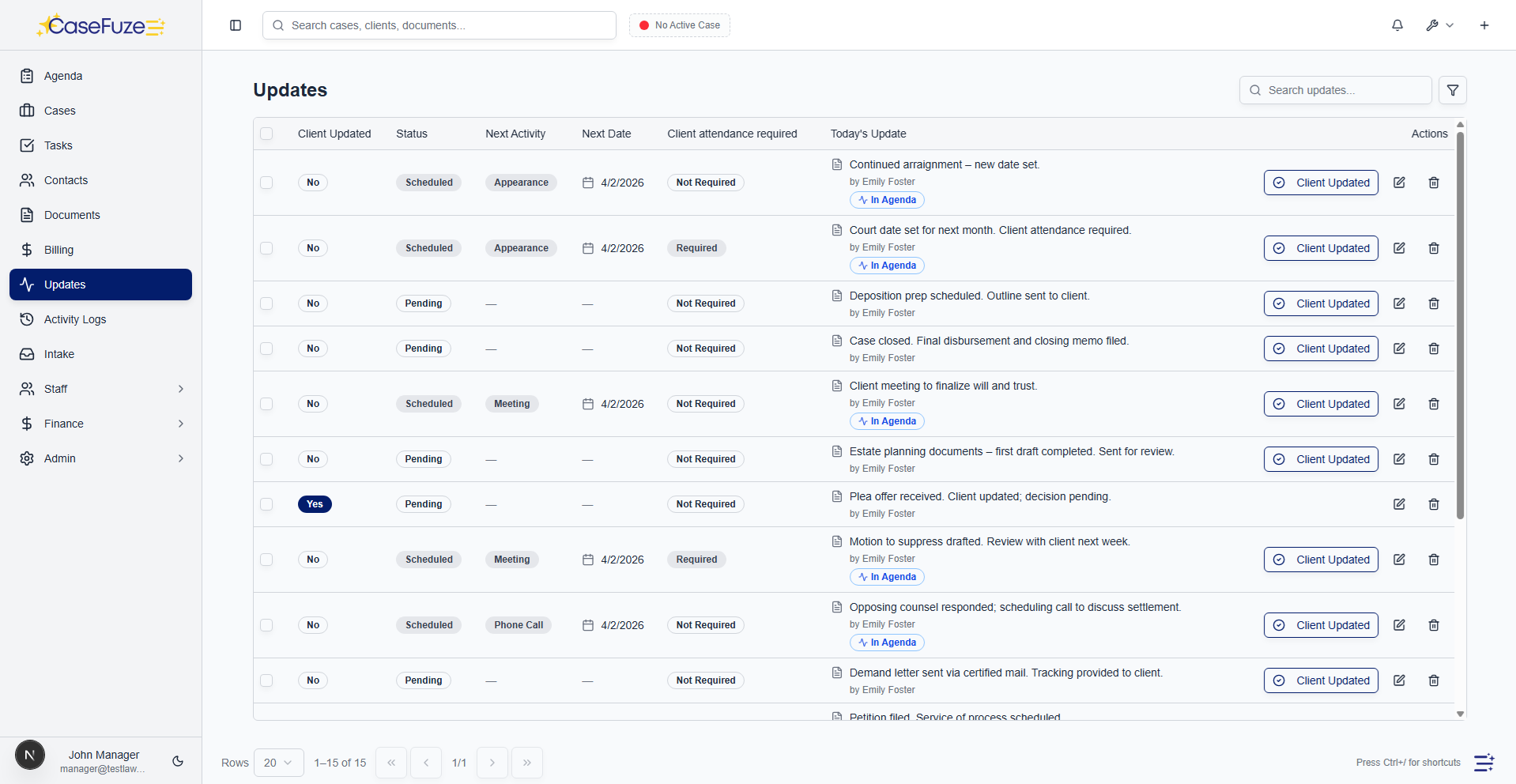
Accept payments online with integrated payment processing. Payments sync automatically to CaseFuze.

  • MX Merchant integration: Accept credit card and ACH payments through MX Merchant. Payments sync to CaseFuze automatically.
  • Payment notifications: Receive instant notifications when payments are received.
  • Automatic payment application: Payments apply to invoices automatically and update case balances.
  • Transaction fees: Track credit card processing fees and reconcile net deposits.
  • Chargeback tracking: Record chargebacks and adjust case balances accordingly.

Simple & Transparent Pricing

CaseFuze keeps pricing straightforward'$49 per user, per month with every feature included. No tiers, no hidden add-ons, and no confusing upgrade paths. From legal case management software essentials like matters, billing, and trust accounting to advanced tools for HR, reporting, and automation, you get it all in one plan. As your firm grows, simply add users and scale without worrying about extra costs.

All in One

$49/ User / Month

Flat-rate pricing that covers your entire firm. No tiers. No hidden costs. No add-ons.

Includes:

Why CaseFuze Pricing Works for Every Firm

CaseFuze is designed to remove complexity not only from practice management but also from how you pay for it. With one flat rate of $49 per user, per month, you get unlimited access to the complete platform, matters, billing, IOLTA trust accounting, HR operations, documents, and mobile apps, all included from day one. There are no confusing tiers, hidden add-ons, or upgrade traps. This keeps costs predictable and allows your team to focus on serving clients instead of managing multiple subscriptions.

Our pricing model also scales naturally as your firm grows. Whether you're a solo attorney adding your first assistant or a small team expanding into multiple practice areas, every new user joins the same flat-rate plan with full access to all features. That means you don't lose functionality as you grow, and you never have to pay extra just to unlock core tools. CaseFuze makes it easy to budget with confidence, knowing that everything you need is already included.

All-in-One Access

One plan includes case management, billing, documents, trust accounting, and HR tools.

Scales With Your Firm

Add new users seamlessly while keeping the same predictable plan.

No Hidden Costs

Transparent pricing ensures your software budget is stable and reliable.