
Trust Accounting That Actually Works

Stop wrestling with spreadsheets and manual reconciliation. CaseFuze’s trust accounting software connects directly to your bank through Plaid, automatically fetching every transaction so you can allocate deposits to clients and maintain accurate IOLTA records without the headache.
Your Bank Transactions, Pulled Automatically

Most legal software makes you download bank statements, import CSVs, and manually enter every transaction. That’s outdated.

CaseFuze connects to your IOLTA account via Plaid and fetches all transactions automatically. Every deposit, withdrawal, and fee shows up in your account ledger instantly. You split deposits to allocate them to the right clients, and the system maintains real-time balances for every client’s trust funds. This isn’t just convenient. It changes how you manage client money.

No more month-end panic trying to figure out why things don’t match. You see exactly what hit your bank account, allocate it to the right matters, and your client balances update immediately.

How Transaction Matching Actually Works

Here’s what happens when money hits your IOLTA account. Plaid fetches the transaction from your bank and shows it in CaseFuze’s account ledger. You see the amount, the date, and the source. If it’s a single-client deposit, you match it to that client with one click. If multiple clients paid via the same wire or check, you split the deposit across those clients.

The system records every allocation with timestamps and user attribution. Your client ledgers update in real time. The three-way reconciliation happens automatically because CaseFuze knows your bank balance (from Plaid), your book balance (from recorded transactions), and your client ledger totals (from your allocations).

This gives you complete control over how funds get allocated while eliminating the data entry that eats up staff hours.

How CaseFuze Simplifies Trust Accounting That Actually Works

Trust Accounting That Actually Works

Stop wrestling with spreadsheets and manual reconciliation. CaseFuze's trust accounting software connects directly to your bank through Plaid, automatically fetching every transaction so you can allocate deposits to clients and maintain accurate IOLTA records without the headache.

IOLTA Compliance Built Into Every Transaction

IOLTA Compliance Built Into Every Transaction

Bar associations don't mess around with trust account violations.

  • CaseFuze's trust accounting is designed around one principle make it impossible to accidentally break the rules.
  • Every transaction requires a linked client and matter.
  • You can't accidentally pay an operating expense from your trust account.
IOLTA Compliance Built Into Every Transaction

Bar associations don’t mess around with trust account violations. One mistake can cost you your license, even if it was an honest error.

CaseFuze’s trust accounting is designed around one principle: make it impossible to accidentally break the rules. Every transaction requires a linked client and matter. You can’t accidentally pay an operating expense from your trust account. The system maintains complete ledgers for every client with timestamps, descriptions, and documentation.

Withdrawals require proper authorization. Negative balances trigger immediate alerts. These aren’t optional features you need to configure. They’re baked into how the software works.

Your staff can’t override them or work around them. The guardrails stay up, which means you sleep better at night.

How Your State Bar Rules Affect Trust Accounting

Here’s what most attorneys don’t realize: trust accounting requirements vary significantly by state. Some jurisdictions require individual trust accounts for each client. Others allow (or require) pooled IOLTA accounts where all client funds sit in one account with separate ledgers tracking each client’s balance.

CaseFuze handles both approaches:

  • Pooled IOLTA accounts: Track multiple clients in a single trust account with individual sub-ledgers for
  • each matter
  • Individual client trust accounts: Manage separate bank accounts for high-value cases or specific client
  • requirements
  • Multiple trust accounts: Run different IOLTA accounts for different practice areas, offices, or attorney
  • groups


The software adapts to your state’s specific rules. California firms running pooled accounts get the same transaction fetching and client allocation as New York firms maintaining individual accounts. You stay compliant regardless of where you practice.

Splitting Deposits Across Multiple Clients

Real-world deposits don’t always come in clean. A wire transfer might include retainers for three different clients. A check from opposing counsel might cover settlements for two matters. Your bank shows one transaction, but you need to allocate it correctly across multiple client ledgers.

CaseFuze makes this simple. When you see a deposit in your transaction feed, click “split” and enter how much goes to each client. The system creates separate ledger entries for each allocation, all tied back to the original bank transaction. Your three-way reconciliation stays intact because the total of your splits matches the bank deposit exactly.
This is where most firms make mistakes with spreadsheets or standalone accounting software. CaseFuze won’t let you over-allocate or under-allocate. If the bank shows $5,000 and you’ve only allocated $4,800, the system flags it immediately.

Trust-to-Operating Transfers Done Right

Moving earned fees from your trust account to your operating account should be simple. In practice, it’s where most firms make mistakes.

CaseFuze automates the workflow after you’ve done the legal work. Generate an invoice, send it to the client, and when they approve it (or the time period expires), transfer the earned fees from trust to operating. The

system creates the withdrawal transaction, updates the client’s trust ledger, and maintains the audit trail showing what was earned, when it was billed, and why it was withdrawn.

This also works in reverse. If a client pays a retainer into your operating account by mistake, CaseFuze helps you transfer it correctly into trust with full documentation.

Real-Time Client Balances That You Can Trust

Your clients want to know how much money they have sitting in trust. They’ll call and ask, and your staff shouldn’t need to dig through transaction histories to answer.

CaseFuze shows every client’s current trust balance on their matter page. The balance updates immediately when you allocate a deposit or record a disbursement. Click through to see a complete transaction history: every deposit, every disbursement, every fee transfer, all in chronological order.

Generate a client trust statement in PDF format and email it directly from the platform. This transparency cuts down on client confusion and reduces the number of “where’s my money” phone calls that eat up staff time.

Because you’re allocating transactions as they come in (instead of waiting until month-end), your balances are always current. No lag time, no estimates, no surprises.

Three-Way Reconciliation Without the Pain

Bank balance. Book balance. Client ledger balance.

These three numbers need to match perfectly, and getting them to agree is usually the worst part of trust accounting. Here’s how CaseFuze makes it automatic.

Plaid fetches your bank balance and all transactions in real time. That’s your bank balance. As you allocate deposits and record disbursements, CaseFuze maintains your book balance (what you’ve recorded in the system). Every allocation you make updates a specific client’s ledger. When you add up all client ledger balances, that total must equal your book balance.
The system checks this constantly. If your client ledgers total $150,000 but your book balance shows $148,000, CaseFuze flags the discrepancy immediately. You catch errors the day they happen, not three months later during an audit. When it’s time for your annual audit or a state bar inspection, you’ll generate a complete reconciliation report in about thirty seconds.

Check Printing and Payment Processing

You shouldn’t need separate software to print checks from your trust account.

CaseFuze includes integrated check printing that pulls directly from your trust balance. Select the client, enter the amount and payee, and print. The transaction posts immediately to both your account ledger and the client’s ledger with full documentation attached.

For firms moving away from paper checks, CaseFuze also handles electronic disbursements. Pay experts, medical providers, or clients directly through ACH transfers that log automatically in your trust ledger and allocate to the correct client. Every payment includes the documentation you’d need if the bar came asking questions three years later.

Reporting That Actually Helps

State bars require specific reports. Most trust accounting software makes you export data to Excel and format it yourself. CaseFuze generates compliant reports automatically.

Required reports available instantly:

  • Monthly reconciliation reports with three-way reconciliation status and supporting documentation
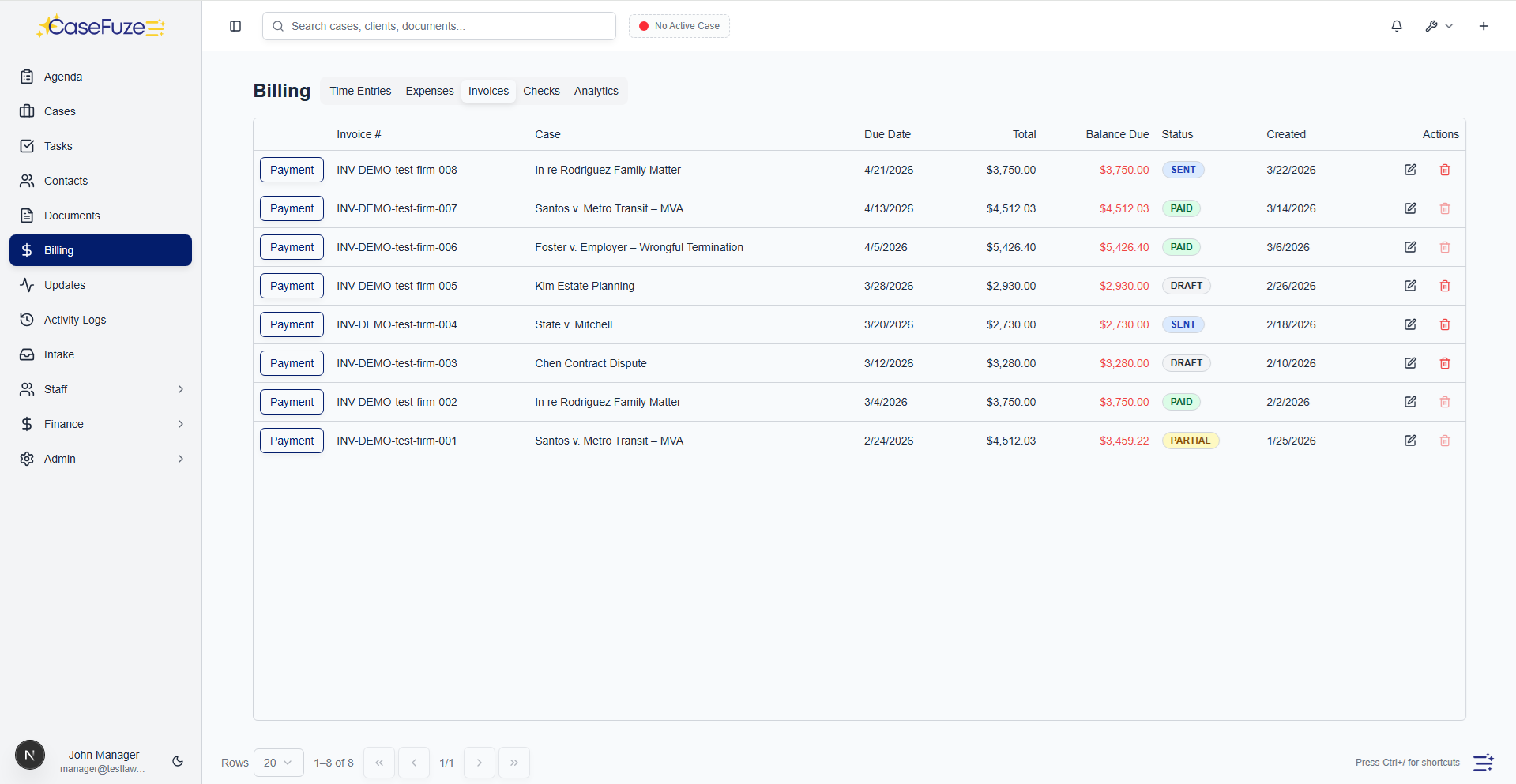
  • Client ledger reports showing every transaction for every client over any date range
  • Inactive account reports identifying clients with trust balances on closed matters
  • Trial balance reports proving your individual client ledgers match your bank balance
  • Annual audit packages with all required documentation in one export


Schedule these to run automatically each month and they’ll email directly to your bookkeeper or managing partner. When the bar requests documentation, you’re not scrambling. Everything’s already formatted and ready.

Audit Trails You Can Actually Use

Every trust account needs a complete audit trail. That means knowing who did what, when they did it, and what the account looked like before and after.

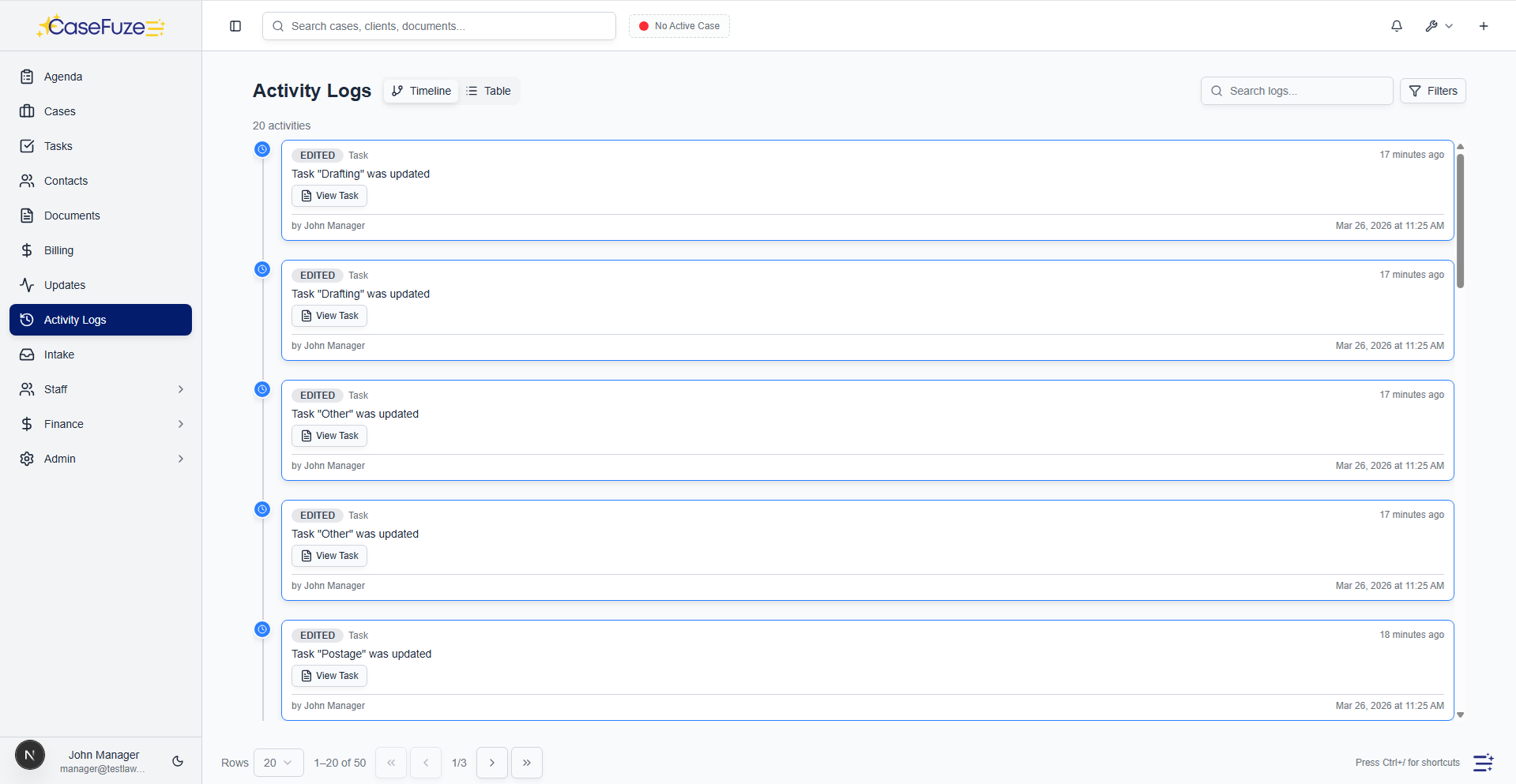
CaseFuze logs every transaction with user attribution, timestamps, and before/after balances. You can search the entire history by client, matter, date range, transaction type, or user.

Need to know who allocated that $5,000 retainer on March 15th? You’ll have your answer in five seconds. This level of detail isn’t just for audits. It’s for training new staff, investigating discrepancies, and catching mistakes before they become problems.

Every deposit split shows which staff member did the allocation, when they did it, and how they divided the funds. If something looks wrong six months later, you can trace it back to the source.

Integration With Your Billing System

Trust accounting shouldn’t live in a separate silo from your billing and invoicing.

When you generate an invoice in CaseFuze, the system knows whether the client has trust funds available. Apply trust funds to an invoice with one click, and the disbursement posts automatically to both the invoice and the trust ledger. For flat-fee matters, you can set up automated trust-to-operating transfers that happen on a

schedule. For evergreen retainers, CaseFuze monitors the balance and sends automatic replenishment requests when it drops below your threshold.

This integration eliminates double-entry and ensures your billing and trust records always match. No more reconciling two systems at month-end trying to figure out why the numbers don’t agree.

Setup Takes Minutes, Not Weeks

Most trust accounting implementations involve consultants, training sessions, and weeks of confusion. CaseFuze is different.

Getting started:

  1. Connect your IOLTA account through Plaid
  2. Set your minimum balance threshold
  3. Let Plaid fetch your existing transactions
  4. Allocate any unmatched deposits to the correct clients
  5. You’re live with accurate balances


The system includes guided setup that walks you through each step. If you’re migrating from another platform, CaseFuze’s support team handles the data transfer and makes sure your opening balances are correct. Most firms are fully operational within a day or two.

Support When You Need It

Questions about trust accounting happen. Usually at the worst possible moment, right before a disbursement is due or when you’re trying to close out a matter.

CaseFuze’s support team includes former legal administrators who understand IOLTA requirements. They’re available via chat, email, or phone whenever you run into trouble. Most questions get answered within minutes, not hours or days.
The knowledge base includes step-by-step guides for every common trust accounting task, video tutorials showing real examples, and templates for all the standard reports your state bar might request.

Works For Solo Attorneys and Large Firms

Whether you’re managing trust funds for 10 clients or 1,000, CaseFuze scales with your practice.

Solo attorneys get the same automated transaction fetching and client allocation features that large firms need. The interface stays fast even with years of transaction history. Multi-user firms get role-based permissions that control who can view balances, allocate deposits, authorize disbursements, and generate reports.

Set up approval workflows so disbursements over a certain amount require partner sign-off. Create separate trust accounts for different practice areas or offices. Everything runs in the cloud, which means your

bookkeeper can allocate transactions from home, your managing partner can review trust balances from their phone, and your CPA can access reports without needing special software.

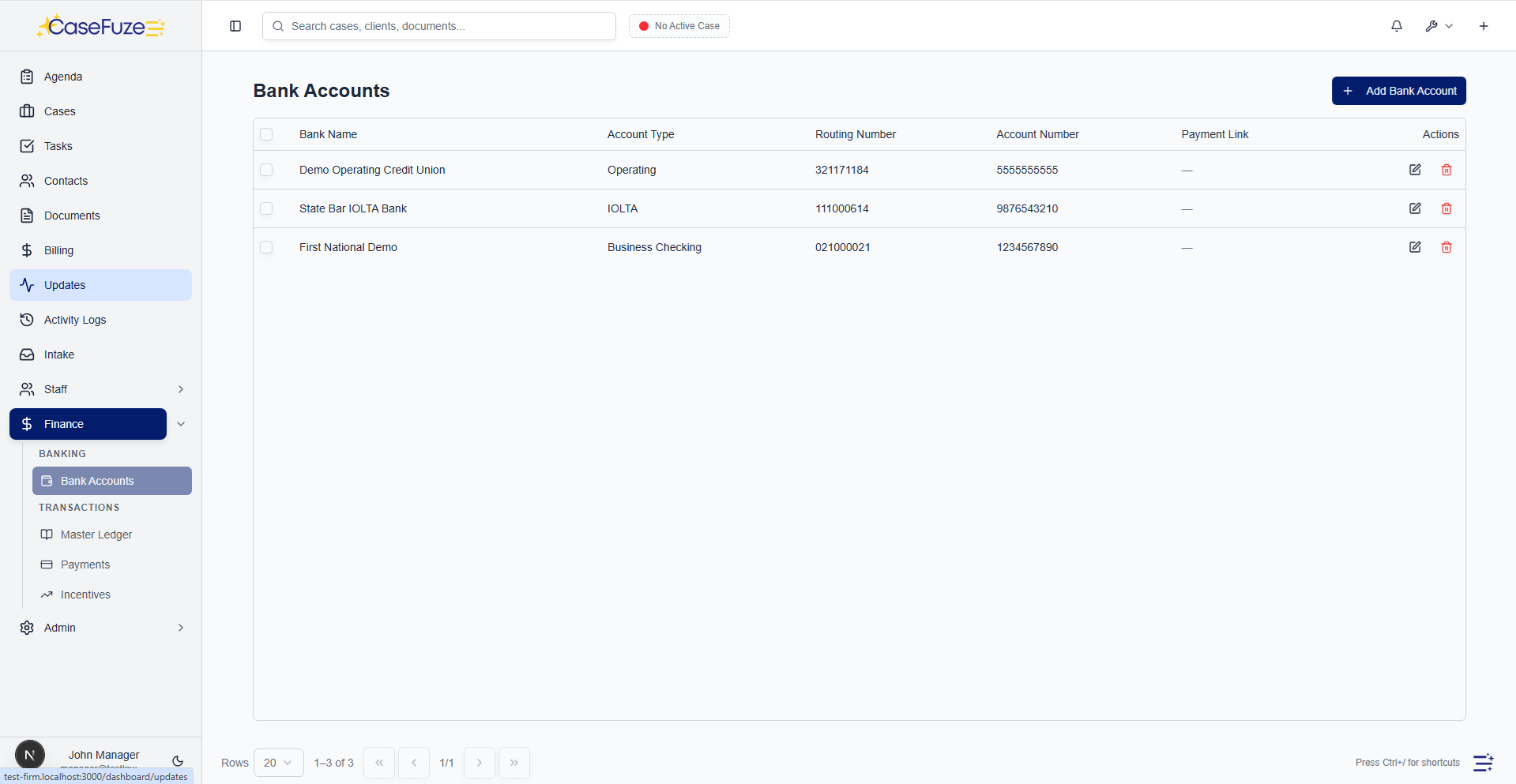
Bank account management

Manage all your firm’s bank accounts'operating, trust, and savings'in one place.

  • Multiple bank accounts: Add unlimited bank accounts (operating accounts, trust accounts, savings accounts).
  • Account types: Designate accounts as operating or trust for compliance and reporting.
  • Account details: Store account numbers, routing numbers, bank names, and contact information.
  • Account balances: See current balances for all accounts in one dashboard.
  • Default accounts: Set default bank accounts for invoices, payments, and trust deposits.
  • Inactive accounts: Mark old accounts as inactive without deleting historical data.

Automatic bank sync with Plaid

Connect your bank accounts and sync transactions automatically. No manual data entry.

  • One-click bank connection: Connect your bank using Plaid. Over 12,000 banks supported.
  • Automatic transaction sync: New transactions appear in CaseFuze automatically (daily sync).
  • Transaction details: See date, amount, merchant, and transaction type for every transaction.
  • Transaction categorization: Categorize transactions as income, expense, trust deposit, trust withdrawal, etc.
  • Transaction matching: Match bank transactions to payments, deposits, and expenses in CaseFuze for automatic reconciliation.
  • Sync history: Full transaction history imported from your bank. Go back months or years.
  • Multi-account support: Sync multiple bank accounts from multiple banks.

Master ledger and transaction tracking

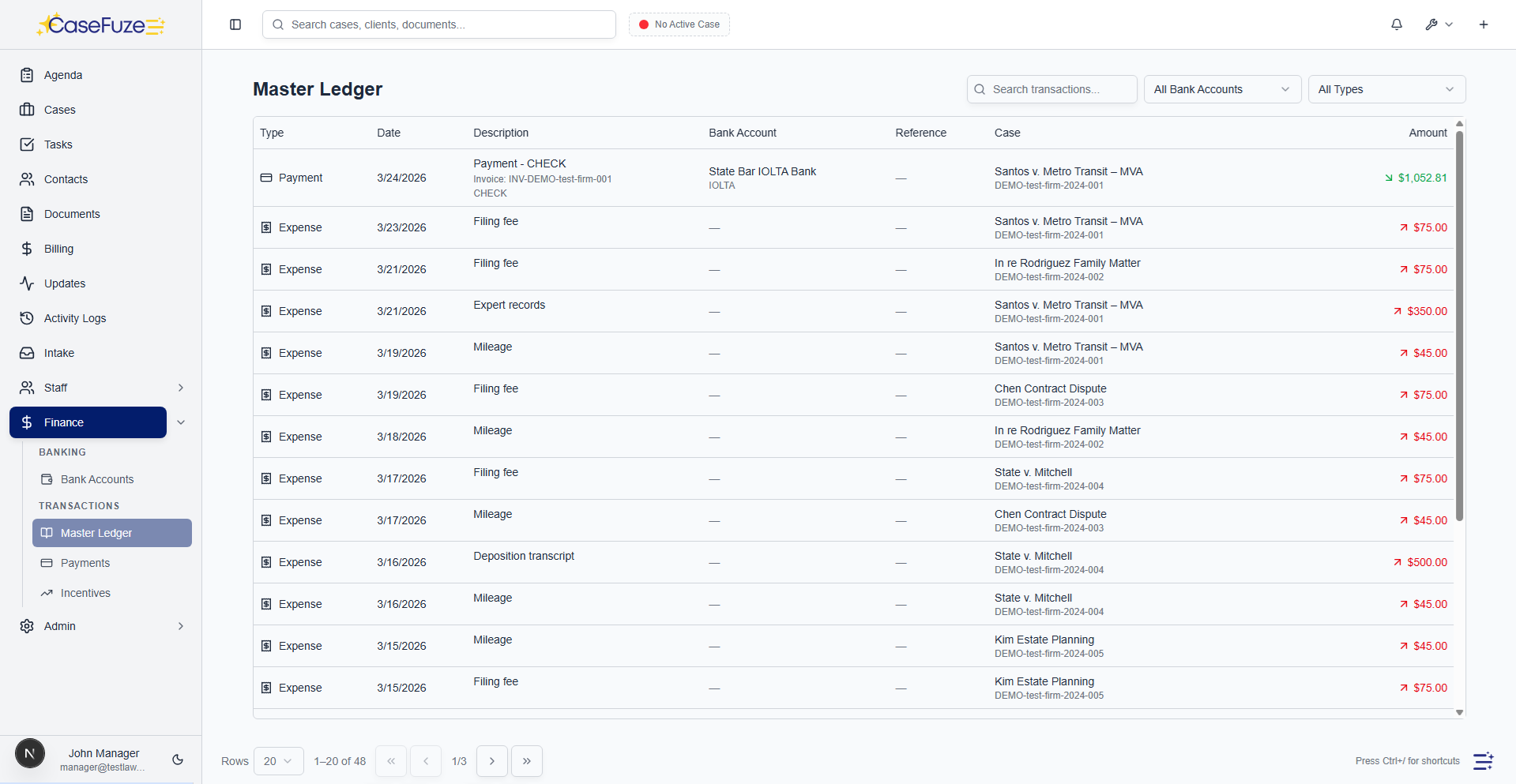
Every financial transaction in CaseFuze is recorded in the master ledger. See where every dollar came from and where it went.

  • Master ledger: Centralized ledger showing all financial transactions across all bank accounts and cases.
  • Transaction types: Track deposits, withdrawals, payments, trust transfers, expenses, and checks.
  • Case-level ledger: See all transactions for a specific case (payments, expenses, trust deposits, trust disbursements).
  • Ledger search and filters: Filter ledger by date range, bank account, case, transaction type, or amount.
  • Running balances: See running balances for operating accounts and trust accounts after every transaction.
  • Ledger reports: Generate ledger reports for month-end close, tax preparation, or audits.

Check writing and approval workflows

Issue checks directly from CaseFuze with built-in approval workflows. No more handwritten checks or QuickBooks.

  • Check creation: Create checks for vendors, expenses, lien payoffs, or client disbursements.
  • Check details: Record check number, check date, payee, amount, bank account, and memo.
  • Link to cases and expenses: Link checks to cases and expense records for audit trails.

  • Approval workflows: Route checks for approval before issuing. Approvers review and approve or reject.
  • Approval history: Track who requested, who approved, and when. Full audit trail.
  • Rejection reasons: Capture rejection reasons when checks are denied.
  • Check printing: Print checks directly from CaseFuze using pre-printed check stock.
  • Check register: See all issued checks in the check register with status (pending, approved, rejected, cleared).

Simple & Transparent Pricing

CaseFuze keeps pricing straightforward'$49 per user, per month with every feature included. No tiers, no hidden add-ons, and no confusing upgrade paths. From legal case management software essentials like matters, billing, and trust accounting to advanced tools for HR, reporting, and automation, you get it all in one plan. As your firm grows, simply add users and scale without worrying about extra costs.

All in One

$49/ User / Month

Flat-rate pricing that covers your entire firm. No tiers. No hidden costs. No add-ons.

Includes:

Why CaseFuze Pricing Works for Every Firm

CaseFuze is designed to remove complexity not only from practice management but also from how you pay for it. With one flat rate of $49 per user, per month, you get unlimited access to the complete platform, matters, billing, IOLTA trust accounting, HR operations, documents, and mobile apps, all included from day one. There are no confusing tiers, hidden add-ons, or upgrade traps. This keeps costs predictable and allows your team to focus on serving clients instead of managing multiple subscriptions.

Our pricing model also scales naturally as your firm grows. Whether you're a solo attorney adding your first assistant or a small team expanding into multiple practice areas, every new user joins the same flat-rate plan with full access to all features. That means you don't lose functionality as you grow, and you never have to pay extra just to unlock core tools. CaseFuze makes it easy to budget with confidence, knowing that everything you need is already included.

All-in-One Access

One plan includes case management, billing, documents, trust accounting, and HR tools.

Scales With Your Firm

Add new users seamlessly while keeping the same predictable plan.

No Hidden Costs

Transparent pricing ensures your software budget is stable and reliable.