
Document Management Built For Legal Work

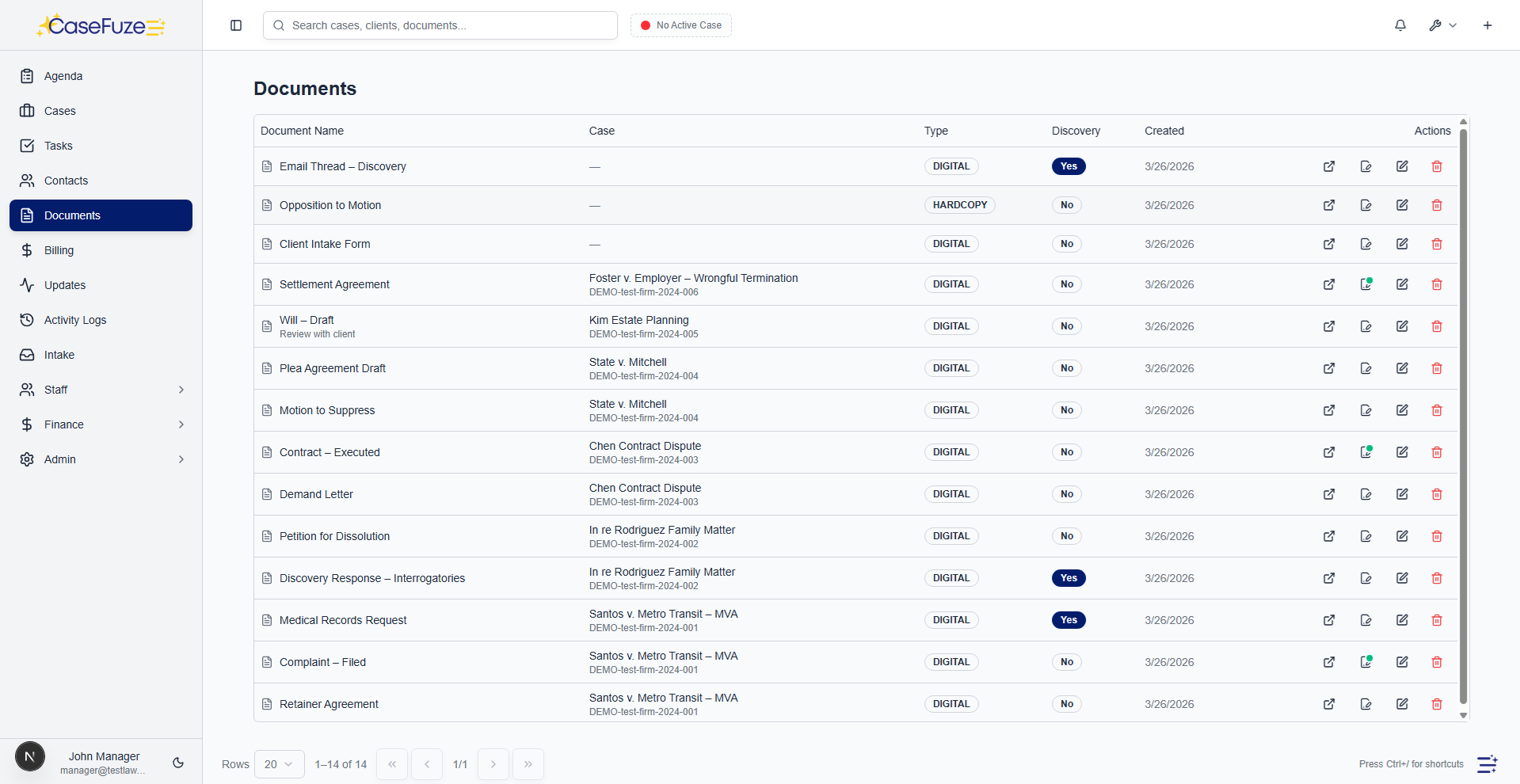
Legal work creates documents. Lots of them. Complaints, discovery, correspondence, contracts, medical records, expert reports, court orders. Finding the right document when you need it shouldn’t require digging through filing cabinets or scrolling through endless folder structures. CaseFuze organizes every document so you can find it in seconds, not minutes.
Upload Anything, Find Everything

Most document management systems force you into rigid folder structures designed by someone who doesn’t practice law. You end up with folders inside folders inside folders, and nobody can remember whether the expert report goes in “Discovery/Experts” or “Documents/Reports/Expert.”

CaseFuze uses flexible categorization instead. Tag documents with multiple labels. A single document can be tagged as “medical records,” “Dr. Johnson,” “treatment,” and “damages” simultaneously. Search by any of those tags and you’ll find it.

This works how your brain actually works. You don’t remember exactly where you filed something. You remember it’s a medical record from that orthopedist about the knee injury. Search for those terms and CaseFuze finds it.

Document Categories That Make Sense

Every practice area has standard document types. Personal injury cases always need police reports, medical records, and insurance correspondence. Family law cases need financial disclosures, custody evaluations, and court orders.

CaseFuze comes with pre-built categories for common practice areas. You can customize these, add your own categories, and organize documents however makes sense for your firm.

Standard categories include:

  • Pleadings and motions
  • Discovery requests and responses
  • Correspondence (client, opposing counsel, court)
  • Medical and expert reports
  • Financial documents
  • Contracts and agreements
  • Court orders and judgments
  • Evidence and exhibits


Documents can belong to multiple categories. An expert report might be tagged as both “expert reports” and “damages evidence.” This flexibility means you’ll find documents no matter how you search for them.

How CaseFuze Simplifies Document Management Built For Legal Work

Document Management Built For Legal Work

Legal work creates documents. Lots of them. Complaints, discovery, correspondence, contracts, medical records, expert reports, court orders. Finding the right document when you need it shouldn't require digging through filing cabinets or scrolling through endless folder structures. CaseFuze organizes every document so you can find it in seconds, not minutes.

Version Control That Actually Works

Version Control That Actually Works

Documents change.

  • CaseFuze tracks versions automatically.
  • Upload a new version of an existing document and the system saves both.
  • You can see what changed, who made the changes, and when they happened.

Version Control That Actually Works

Documents change. Clients request edits. Opposing counsel negotiates terms. Partners add comments. Most firms end up with files named “contract_v1,” “contract_v2,” “contract_final,” “contract_final_REALLY_FINAL.”

CaseFuze tracks versions automatically. Upload a new version of an existing document and the system saves both. You can see what changed, who made the changes, and when they happened.

Need to revert to an earlier version? Click the version you want and restore it. Every version stays in the system with complete timestamps and user attribution. If a client claims you removed a clause they wanted, you can show them exactly what version they approved and when.

This version history also protects you from accidental deletions or overwrites. Nothing is ever truly gone. You can recover any previous version at any time.

OCR and Full-Text Search

Paper documents still exist. Court filings, medical records, police reports, and other documents often arrive as scanned PDFs with no searchable text.

CaseFuze’s OCR (optical character recognition) converts these scanned documents into searchable text. Upload a scanned police report and you can search for officer names, incident numbers, or specific statements. Upload medical records and search for diagnosis codes, medications, or treatment dates.
Full-text search works across your entire document library. Need to find every document that mentions a specific intersection where an accident occurred? Search for the street names and CaseFuze returns every document containing those terms, whether it’s a police report, witness statement, or expert opinion.

Email Integration

Legal communication happens through email. Client updates, opposing counsel correspondence, court filing confirmations, expert reports. These emails need to be in your case file, not just sitting in your inbox.

Forward emails directly into CaseFuze and they attach to the right case automatically. The system reads the subject line and content to suggest which case the email belongs to. Confirm the case, and the email (with any attachments) saves to the document library.

You can also connect your email account so sent emails automatically file to cases. When you email a client about their case, CaseFuze detects the case number or client name and saves the email without any manual filing.

This creates a complete communication record. Six months later when you need to prove you notified opposing counsel about a scheduling conflict, the email is sitting in your case file with full headers and delivery confirmations.

Mobile Document Access

Legal work doesn’t only happen at your desk. Court appearances, client meetings, depositions, and site visits all require document access.

CaseFuze’s mobile apps let you access any document from your phone or tablet. Pull up the complaint while standing in court. Review medical records during a client meeting. Show opposing counsel a key exhibit during settlement negotiations.

You can also capture documents with your phone’s camera. Photograph a signed contract, receipt, or damaged property and upload directly into the case. The document syncs immediately so everyone on your team has access.

Secure Client Document Sharing

Clients need documents. Settlement offers, court orders, expert reports, contracts. Emailing these creates security risks and version control nightmares.

CaseFuze’s client portal lets clients access their documents securely. They log in, see their case, and download whatever they need. You control which documents are visible. Sensitive work product stays hidden. Client- facing documents are available 24/7.

When you upload a new document that clients should see, mark it as “client accessible” and they’ll receive an email notification. They can download the document directly without calling your office and waiting for someone to email it.

This cuts down on “can you send me that document” phone calls and emails. Clients have access whenever they need it. You maintain complete control over what they can see.

Document Templates

Legal documents follow patterns. Demand letters have standard structures. Discovery requests use common language. Retainer agreements contain similar clauses.

CaseFuze includes a template library for common documents. Create templates with placeholders for client names, case details, dates, and custom information. When you need to generate a document, select the template, and CaseFuze fills in the details automatically from your case data.

Template capabilities:

  • Mail merge with case and client information
  • Conditional sections that appear based on case details
  • Calculated fields for damages, dates, and amounts
  • Custom formatting with your letterhead and signature
  • Multiple templates per document type for different scenarios


Templates reduce drafting time and eliminate typos. Your staff can generate routine correspondence without attorney review. Complex documents start with solid foundations instead of blank pages.

Document Assembly

Some documents need more than simple templates. Contracts, settlement agreements, and pleadings often require complex logic based on case specifics.

CaseFuze’s document assembly lets you build sophisticated documents with conditional sections, calculated amounts, and integrated case data. Answer a series of questions and the system generates a complete document with proper formatting and legal language.

This works particularly well for high-volume practices. Immigration firms can generate visa applications with all required forms populated from a single intake. Family law firms can produce financial disclosure forms automatically from client-provided information. Personal injury firms can create demand letters pulling damages calculations from medical bills and lost wage documentation.
Document assembly isn’t just faster. It’s more accurate. Manual data entry creates mistakes. Automated assembly pulls information directly from verified sources in your case file.

Collaboration and Review

Multiple people often work on the same document. Attorneys draft, paralegals edit, partners review. Most firms email documents back and forth with cryptic filenames and conflicting changes.

CaseFuze handles collaborative editing properly. Check out a document to edit it and the system locks it from other editors. Make your changes and check it back in. Other team members see the updated version immediately.
Add comments and suggestions without changing the original text. Tag specific team members for review. Track who approved what version and when.

This prevents the nightmare scenario where three people edit the same document simultaneously and nobody knows which version is current.

E-Signature Integration

Getting documents signed shouldn’t require printing, scanning, mailing, or in-person meetings.

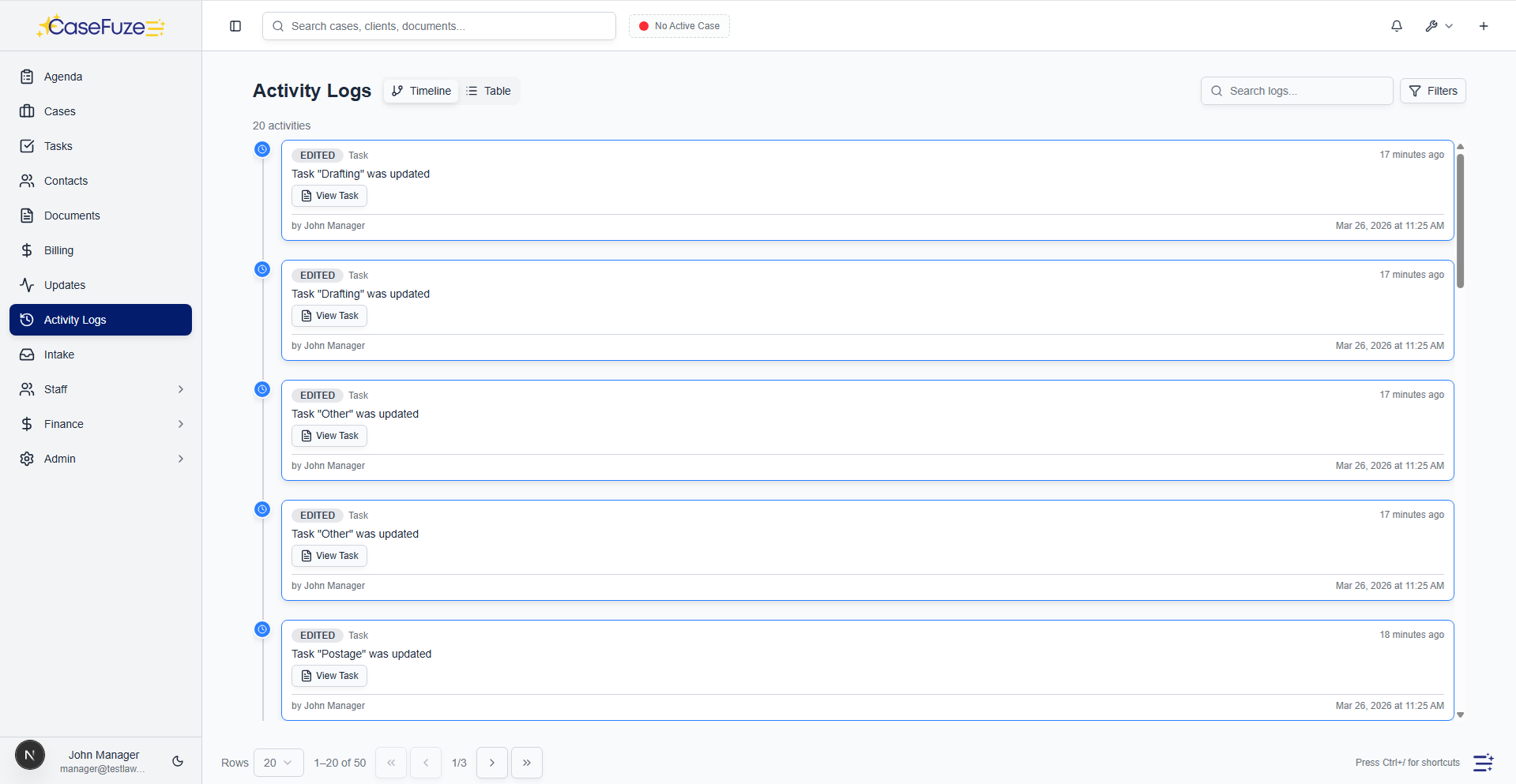
CaseFuze includes integrated e-signature functionality. Upload a document, mark where signatures are needed, and send it to clients or opposing parties. They receive an email, review the document, sign electronically, and the signed version saves automatically to your case file.

Track signature status in real time. See who’s signed, who hasn’t, and who’s viewed the document without signing. Send reminders automatically to people who haven’t signed within a certain timeframe.

E-signatures are legally binding and include complete audit trails showing when documents were sent, opened, and signed. This protects you in disputes about whether someone received or agreed to specific terms.

Storage That Scales

Document storage shouldn’t cost extra or run out of space. Cases generate gigabytes of documents over their lifecycle, and you need to keep everything accessible.

CaseFuze includes unlimited document storage with every subscription. Upload as many documents as you need without worrying about hitting storage limits or triggering overage charges.

Documents are stored in secure, redundant data centers with automatic backups. If something happens to your computer, your documents are safe in the cloud. Access them from any device, anywhere, anytime.

Retention and Destruction Policies

Legal ethics rules require keeping closed case files for specific periods. Some jurisdictions require seven years, others ten. After the retention period expires, you should destroy files to avoid storing unnecessary data.

CaseFuze automates retention schedules. Set your jurisdiction’s requirements and the system tracks when closed cases reach the end of their retention period. You’ll receive notifications when files are eligible for destruction, and you can delete them with full audit trails showing compliance with ethics rules.
This protects you from keeping documents too long (creating unnecessary risk) or deleting them too soon (violating ethics rules).

Security and Access Control

Law firms handle confidential information. Client files, financial records, medical information, and sensitive personal details all require protection.

CaseFuze uses bank-level encryption for all documents. Files are encrypted in transit and at rest. Access requires authentication. All document access is logged with timestamps and user attribution.

Role-based permissions control who can view, edit, download, or delete documents. Associates can access their assigned cases but not see documents from other matters. Clients can view their own documents through the portal but can’t access other client files. Staff can upload documents but might not have deletion rights.

This granular control ensures sensitive documents stay secure while allowing appropriate access for people who need them.

Pricing Document management is included in CaseFuze’s standard $49 per user, per month pricing. Unlimited storage. No per-document fees. No charges for OCR or e-signatures.

Most firms save money by eliminating separate document management subscriptions, cloud storage fees, and paper filing costs. When your team can find documents in seconds instead of digging through file cabinets, those time savings add up.

Discovery tracking built in

Mark documents as discovery and track review status. Know exactly which discovery has been reviewed and by whom.

  • Discovery flag: Mark documents as discovery with one click. Filter to see only discovery documents.
  • Review tracking: Track which staff members have reviewed each discovery document. See who reviewed and when.
  • Review status: Mark discovery as reviewed, needs review, or flagged for follow-up.
  • Discovery deadlines: Link discovery documents to case deadlines or events (discovery cutoff, response due, etc.).
  • Bates stamping: Apply Bates numbers to discovery documents for production and exhibit lists.
  • Discovery reports: Generate reports showing all discovery received, reviewed, and outstanding.

Document security and compliance

Your documents contain sensitive client information. CaseFuze protects them with enterprise-grade security.

  • Bank-grade encryption: Documents encrypted in transit (TLS 1.3) and at rest (AES-256).
  • Role-based access: Control who can view, download, or edit documents by role and user.
  • Audit logs: Full audit trail showing who accessed which documents and when.
  • Secure client portal: Client portal uses HTTPS and supports two-factor authentication.
  • HIPAA compliance: CaseFuze meets HIPAA technical safeguards for handling medical records.
  • Bar-compliant e-signatures: E-signatures meet ABA and state bar requirements with full audit trails and signer authentication.

Simple & Transparent Pricing

CaseFuze keeps pricing straightforward'$49 per user, per month with every feature included. No tiers, no hidden add-ons, and no confusing upgrade paths. From legal case management software essentials like matters, billing, and trust accounting to advanced tools for HR, reporting, and automation, you get it all in one plan. As your firm grows, simply add users and scale without worrying about extra costs.

All in One

$49/ User / Month

Flat-rate pricing that covers your entire firm. No tiers. No hidden costs. No add-ons.

Includes:

Why CaseFuze Pricing Works for Every Firm

CaseFuze is designed to remove complexity not only from practice management but also from how you pay for it. With one flat rate of $49 per user, per month, you get unlimited access to the complete platform, matters, billing, IOLTA trust accounting, HR operations, documents, and mobile apps, all included from day one. There are no confusing tiers, hidden add-ons, or upgrade traps. This keeps costs predictable and allows your team to focus on serving clients instead of managing multiple subscriptions.

Our pricing model also scales naturally as your firm grows. Whether you're a solo attorney adding your first assistant or a small team expanding into multiple practice areas, every new user joins the same flat-rate plan with full access to all features. That means you don't lose functionality as you grow, and you never have to pay extra just to unlock core tools. CaseFuze makes it easy to budget with confidence, knowing that everything you need is already included.

All-in-One Access

One plan includes case management, billing, documents, trust accounting, and HR tools.

Scales With Your Firm

Add new users seamlessly while keeping the same predictable plan.

No Hidden Costs

Transparent pricing ensures your software budget is stable and reliable.