
eSignature That Gets Documents Signed Fast

Printing, signing, scanning, and returning documents wastes time. Clients delay signing because they need to find a printer. Your staff chases signatures for weeks. Cases stall waiting for executed agreements. CaseFuze’s integrated eSignature eliminates this friction. Send documents electronically, clients sign from any device, and signed copies return to your case file automatically.
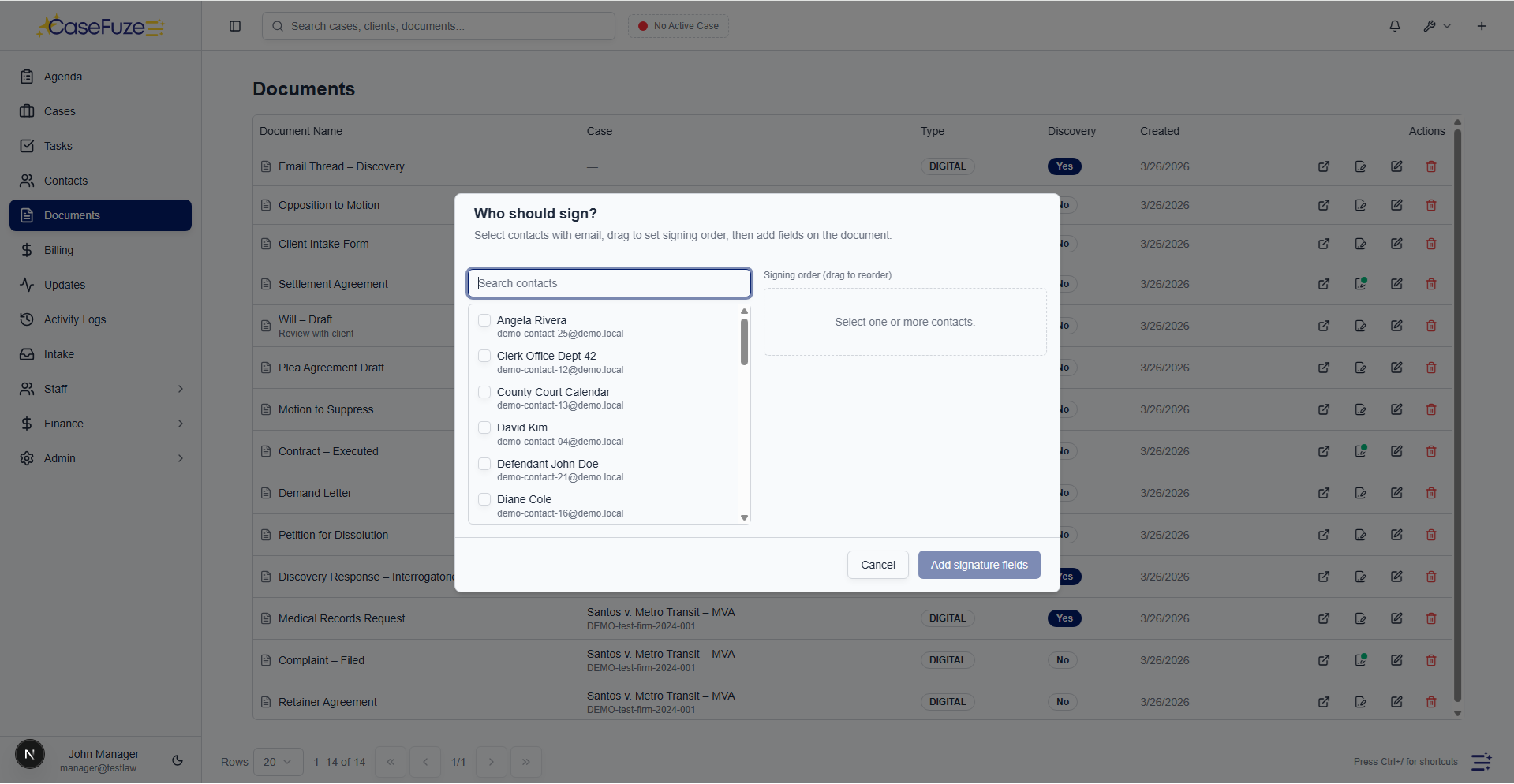
Send Any Document for Signature

Engagement letters, settlement agreements, authorization forms, fee agreements, releases, contracts. Legal work generates countless documents requiring signatures.

Upload any document to CaseFuze, mark signature fields, add any additional form fields (dates, initials, checkboxes), and send for signing. The document routes to all required signers with instructions and deadline reminders.

This works for simple single-signature documents and complex multi-party agreements. One client signing an engagement letter. Both spouses signing a marital settlement agreement. Multiple parties signing a corporate contract. The process scales to whatever complexity your document requires.

Signature Field Placement

Documents need signatures in specific locations. Some require initials on every page. Others need dates next to signatures. Some include checkbox acknowledgments before signature sections.

CaseFuze’s signature editor lets you drag and drop fields exactly where they belong:

  • Signature fields for electronic signatures
  • Initial fields for page-by-page acknowledgment
  • Date fields that auto-populate when signed
  • Text fields for names, addresses, or other information
  • Checkbox fields for agreements or acknowledgments


Each field can be required or optional. Required fields must be completed before the document is considered signed. Optional fields allow for situations where certain information might not apply to every signer.

Assign fields to specific signers in multi-party documents. In a settlement agreement, plaintiff signature fields go to one signer, defendant fields go to another, attorney certification goes to you. Everyone sees only their assigned fields, reducing confusion.

How CaseFuze Simplifies eSignature That Gets Documents Signed Fast

eSignature That Gets Documents Signed Fast

Printing, signing, scanning, and returning documents wastes time. Clients delay signing because they need to find a printer. Your staff chases signatures for weeks. Cases stall waiting for executed agreements. CaseFuze's integrated eSignature eliminates this friction. Send documents electronically, clients sign from any device, and signed copies return to your case file automatically.

Multi-Party Signing

Multi-Party Signing

Many legal documents require multiple signatures.

  • Sequential signing for documents requiring specific order
  • Parallel signing when order doesn't matter
  • Conditional signing where certain signatures trigger subsequent steps

Multi-Party Signing

Many legal documents require multiple signatures. Settlement agreements need all parties. Corporate documents need officers and board members. Real estate transactions need buyers, sellers, and witnesses.

CaseFuze handles signing order and routing automatically. Set up sequential signing (party A signs first, then party B sees the document) or parallel signing (everyone receives the document simultaneously).

Signing workflows:

  • Sequential signing for documents requiring specific order
  • Parallel signing when order doesn’t matter
  • Conditional signing where certain signatures trigger subsequent steps
  • Witness requirements for documents needing notarization or attestation


Each signer receives email notification when it’s their turn to sign. They click the link, review the document, complete their fields, and submit. The next signer receives notification automatically.

Track signing status in real time. See who’s signed, who hasn’t, and who’s viewed the document without signing. Send reminders to people who haven’t completed their signature.

Mobile Signing

Clients don’t only check email at their desks. They need to sign documents while traveling, during evenings, or from wherever they happen to be.

CaseFuze’s eSignature works on any device. Clients click the signature link from their phone or tablet, review the document, sign with their finger or stylus, and submit. The signed document returns to your case file immediately.
This mobile capability accelerates completion. Clients sign during their commute rather than waiting until they get home. They complete documents while details are fresh rather than forgetting by the time they reach a computer.

Mobile signatures are legally binding and include the same audit trails as desktop signatures. Device information, location data (if permitted), and signing timestamp all record for verification purposes.

Legal Validity and Compliance

Electronic signatures have the same legal validity as wet ink signatures under the ESIGN Act and state equivalents. But validity requires proper implementation.

CaseFuze’s eSignature meets all legal requirements for enforceability:

  • Clear consent to use electronic signatures
  • Identity verification through email confirmation
  • Intent to sign demonstrated by clicking “Sign” button
  • Signature attribution to specific individuals
  • Document integrity protection preventing post-signature alterations
  • Record retention of complete signing process


These technical requirements happen automatically. You don’t need to understand the legal framework for eSignature validity. CaseFuze ensures compliance while you focus on getting documents signed.

Audit Trails

Every signature needs supporting evidence proving who signed what and when. This documentation protects you if signature validity is questioned later.

CaseFuze creates comprehensive audit trails for every signed document:

  • Email addresses of all signers and when they were invited
  • IP addresses and device information from signing sessions
  • Timestamps for document sent, opened, signed, and completed
  • Detailed activity log showing every action during the signing process
  • Certificate of completion summarizing all signature events


These audit trails attach permanently to signed documents. If someone claims they never signed something or disputes what they agreed to, you have complete documentation showing exactly what happened.

Courts accept these audit trails as evidence of signature authenticity. The detailed records often provide stronger proof than traditional wet signatures, which can be forged without leaving electronic traces.

Document Storage and Retrieval

Signed documents need to live in your case files, not in separate eSignature platforms requiring additional logins and searches.

CaseFuze stores signed documents directly in case files automatically. When the last signer completes their signature, the fully executed document saves to your document library with all signatures, dates, and certifications included.

You don’t need to download from one system and upload to another. You don’t need to maintain separate records in multiple locations. Everything stays in your case management system where you need it.
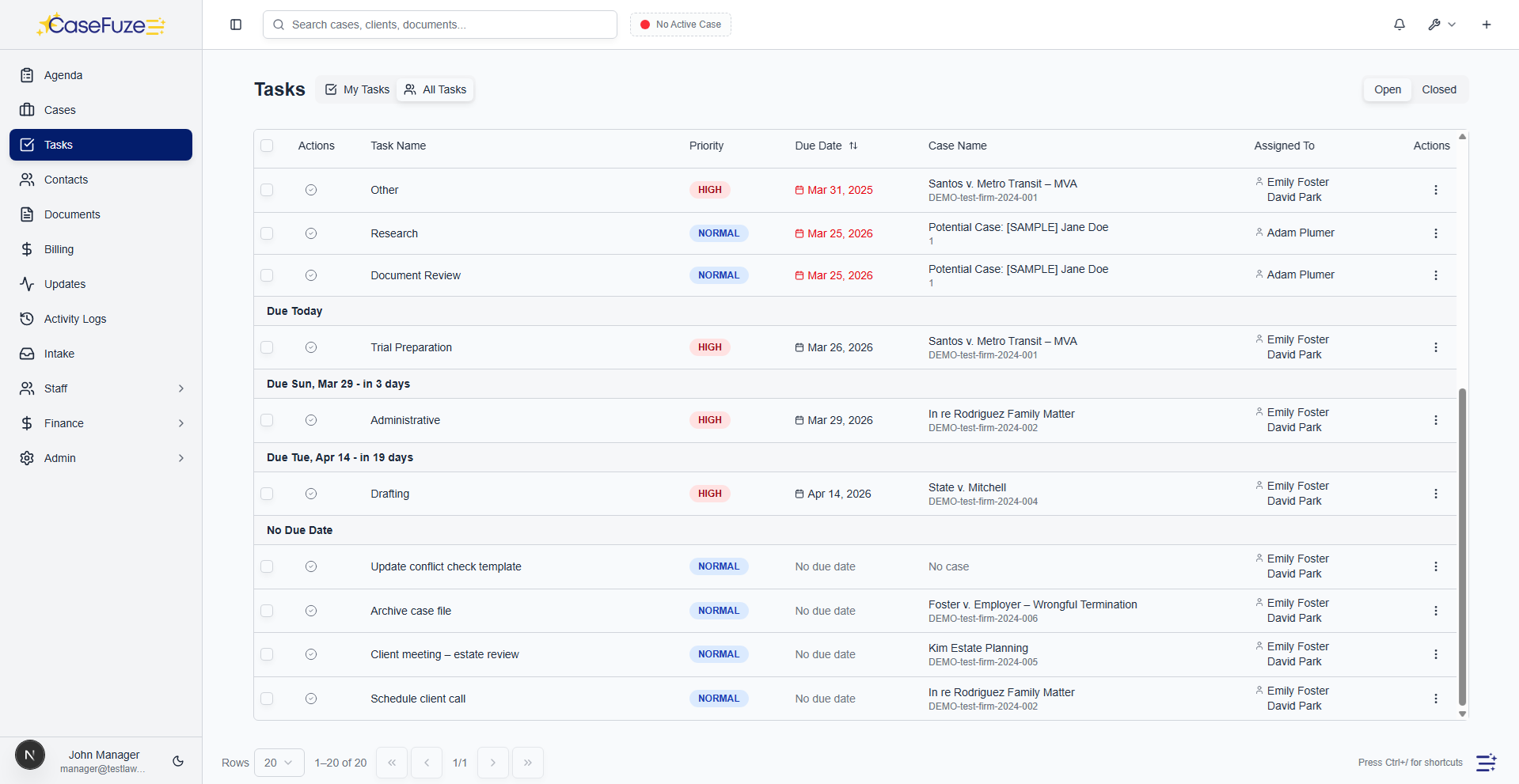
Original unsigned versions remain available if you need to reference them. The document history shows both the template you sent and the signed version you received, maintaining complete documentation.

Integration With Workflows

Signatures often trigger next steps in case progression. A signed engagement letter means you can start work. A signed settlement agreement means you can file dismissal paperwork. A signed authorization means you can request medical records.

CaseFuze’s eSignature integrates with workflow automation. When documents are fully executed, automated workflows trigger:

  • Tasks generate for next steps in case process
  • Emails send to relevant parties about completed agreements
  • Case status updates to reflect new stage
  • Billing events trigger for fee agreements or retainers
  • Document generation begins for dependent documents


This integration eliminates manual monitoring of signature completion. The system recognizes when signatures finish and advances processes automatically.

Template Library

Many documents get used repeatedly with minor variations. Engagement letters follow standard language with client-specific details. Release forms use templates with injury-specific additions. Authorization forms stay mostly constant across cases.

Build a template library of frequently used documents. When you need a signature, select the template, and CaseFuze fills in case-specific details automatically from your client and matter data.

Client names, addresses, case numbers, dates, and custom fields all populate without manual entry. The document generates ready for signature with accurate information every time.
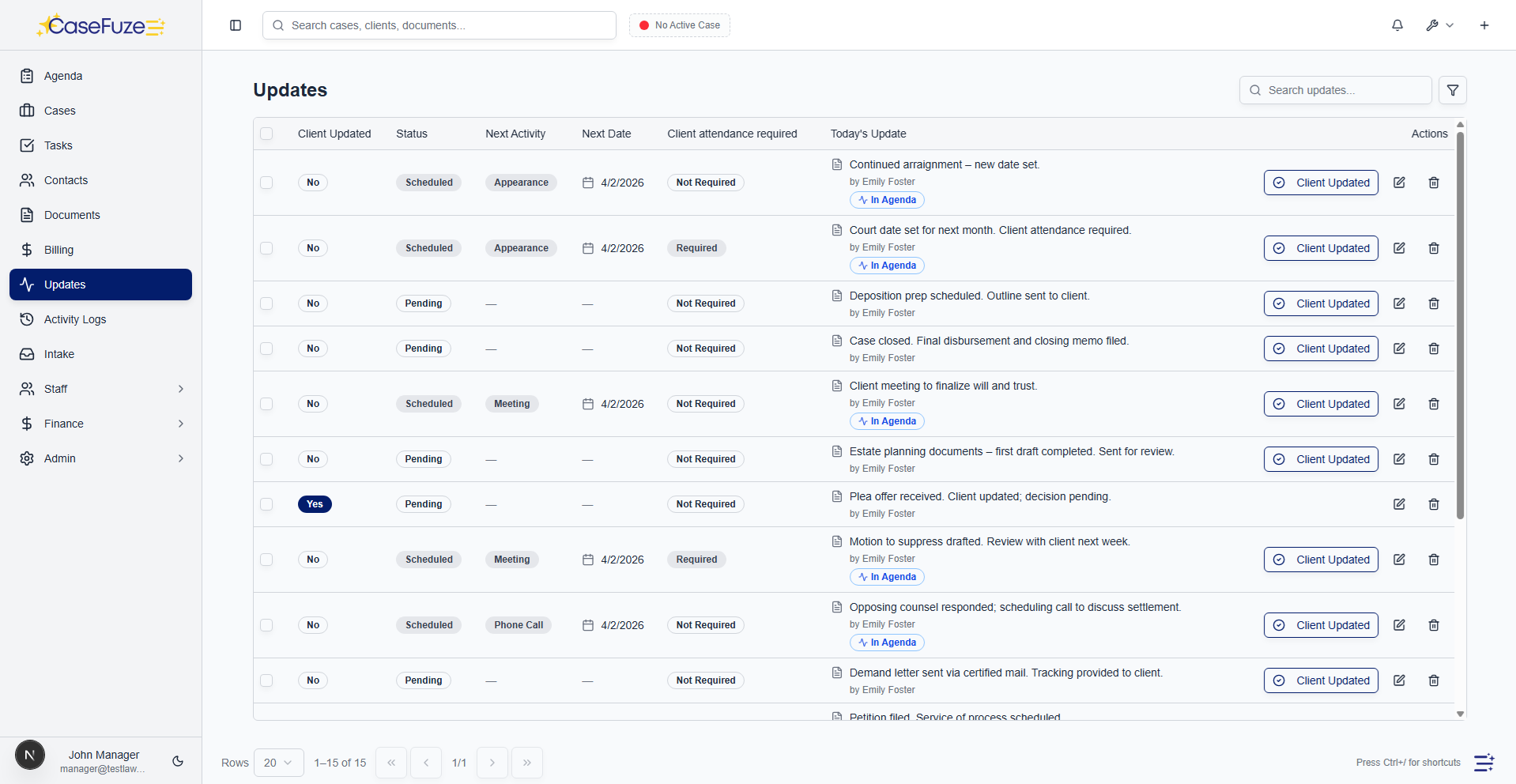
This template approach speeds document preparation and improves accuracy. No more copying last month’s engagement letter and forgetting to change the client name. No more typographical errors in dates or case numbers. Templates ensure consistency and correctness.

Reminder and Expiration Settings

Not everyone signs documents immediately. Some clients need reminders. Others procrastinate indefinitely.

CaseFuze sends automatic reminders to signers who haven’t completed their signature:

  • First reminder 3 days after sending (customizable timing)
  • Second reminder 7 days after sending
  • Final reminder before expiration
  • Escalation notifications to your team for overdue signatures


Set expiration dates on time-sensitive documents. Settlement offers might expire in 10 days. Fee agreements might need signing within 30 days. Documents approaching expiration trigger alerts so you can follow up appropriately.

Expired documents can be voided automatically or require manual handling depending on your preferences. This prevents confusion about whether old signature requests remain valid.

In-Person Signing

Sometimes you need signatures during meetings. Client consultations, settlement conferences, court appearances. Having clients sign electronically even when they’re sitting in front of you creates efficiency.

CaseFuze’s eSignature works for in-person signing. Open the document on your tablet or laptop, hand it to the client, they sign on the device, and the signed document saves immediately.

This paperless approach works even in conference rooms without printers. Pull up the engagement letter, have the client sign, and start work immediately. No printing, no scanning, no filing.

The audit trail still generates showing the signature occurred, even though it happened in person rather than remotely. All the same validation and documentation applies.

Bulk Sending

Some situations require sending the same document to multiple recipients. Class action settlements. Mass tort notices. Corporate shareholder agreements. Sending individually would take hours.

CaseFuze supports bulk signature requests. Upload your recipient list, select the document, and send to everyone simultaneously. Each recipient receives a personalized signature request with their unique signing link.

Track completion status across all recipients. See how many have signed, who’s outstanding, and overall completion percentages. Send bulk reminders to everyone who hasn’t signed yet.

This capability scales to hundreds or thousands of signers when needed, making CaseFuze viable for high- volume signature scenarios.

Security and Encryption

Documents sent for signature often contain confidential information. Client details, financial data, settlement terms, medical information. This data needs protection during transmission and storage.

CaseFuze encrypts all eSignature documents and communication. Documents travel over secure connections. Signing sessions are encrypted. Stored documents are encrypted at rest.

Access requires authentication. Signing links are unique to each recipient and expire after use. Someone intercepting a signing link can’t reuse it or access other documents.

These security measures meet legal industry requirements for protecting client confidentiality while using electronic systems.

Client Experience

The best eSignature implementation is invisible to clients. They click a link, sign naturally, and receive confirmation. No account creation. No software downloads. No confusion.

CaseFuze’s signing experience is straightforward:

  1. Client receives email with “Review and Sign” button
  2. Click button to open document in browser
  3. Review content at their own pace
  4. Click signature field to sign (type, draw, or upload)
  5. Submit and receive instant confirmation


The entire process takes 60 seconds for simple documents. Clients appreciate the simplicity compared to printing, signing, scanning, and emailing.

Signed copies email to clients automatically for their records. They can download the final executed document or access it later through the client portal if they lose the email.

Getting Started

Implementing eSignature doesn’t require changing your entire document workflow overnight. Start with one document type (engagement letters or fee agreements) and expand from there.

Create templates for frequently used documents. Train staff on sending signature requests. Educate clients about the process during initial consultations.

Within a few weeks, electronic signatures become standard practice. Staff wonder how they ever managed with print-sign-scan workflows. Clients appreciate the convenience and speed.

Pricing eSignature is included in CaseFuze’s standard $49 per user, per month pricing. Unlimited signatures. Unlimited documents. Unlimited signers.

Most firms save hundreds to thousands monthly by eliminating separate eSignature subscriptions while simultaneously improving turnaround times on signed documents. Faster signatures mean faster case progression and better cash flow.

Click-to-sign e-signatures

Collect signatures electronically in minutes. No printing, scanning, or mailing.

  • Send signature requests: Upload a document (retainer agreement, settlement release, authorization, etc.) and send it to a client or contact for signature.
  • Click-to-sign: Recipients click a secure link, review the document, and sign by clicking “I agree” or typing their name.
  • Email notifications: Clients receive an email with a secure link to view and sign the document. No account or login required.
  • Mobile-friendly: Clients can review and sign documents on their phone or tablet from anywhere.
  • Automatic reminders: CaseFuze sends automatic reminders to clients who haven’t signed yet. Set reminder frequency (daily, every 3 days, weekly).
  • Expiration dates: Set expiration dates for signature requests. Links expire after a set time for security.
  • Audit trail: Track when the document was viewed, when it was signed, and the signer’s IP address and user agent for compliance.

Signature tracking and compliance

Know exactly when documents were sent, viewed, and signed. Complete audit trail for compliance and disputes.

  • Signature status dashboard: See all signature requests in one place with status (pending, completed, expired).
  • Viewed timestamp: See when the client first viewed the document (not just when they signed).
  • Signed timestamp: Record the exact date and time the client signed.
  • IP address and device tracking: Capture the signer’s IP address and device information for proof of identity.
  • Completed PDF: Once signed, CaseFuze generates a signed PDF with the client’s signature and audit information. Store it in the case documents.
  • Signature certificate: Generate a certificate of completion showing who signed, when, where, and from what device.
  • Compliance-ready: E-signatures are legally binding under ESIGN Act and UETA. Audit trail meets bar association requirements.

Simple & Transparent Pricing

CaseFuze keeps pricing straightforward'$49 per user, per month with every feature included. No tiers, no hidden add-ons, and no confusing upgrade paths. From legal case management software essentials like matters, billing, and trust accounting to advanced tools for HR, reporting, and automation, you get it all in one plan. As your firm grows, simply add users and scale without worrying about extra costs.

All in One

$49/ User / Month

Flat-rate pricing that covers your entire firm. No tiers. No hidden costs. No add-ons.

Includes:

Why CaseFuze Pricing Works for Every Firm

CaseFuze is designed to remove complexity not only from practice management but also from how you pay for it. With one flat rate of $49 per user, per month, you get unlimited access to the complete platform, matters, billing, IOLTA trust accounting, HR operations, documents, and mobile apps, all included from day one. There are no confusing tiers, hidden add-ons, or upgrade traps. This keeps costs predictable and allows your team to focus on serving clients instead of managing multiple subscriptions.

Our pricing model also scales naturally as your firm grows. Whether you're a solo attorney adding your first assistant or a small team expanding into multiple practice areas, every new user joins the same flat-rate plan with full access to all features. That means you don't lose functionality as you grow, and you never have to pay extra just to unlock core tools. CaseFuze makes it easy to budget with confidence, knowing that everything you need is already included.

All-in-One Access

One plan includes case management, billing, documents, trust accounting, and HR tools.

Scales With Your Firm

Add new users seamlessly while keeping the same predictable plan.

No Hidden Costs

Transparent pricing ensures your software budget is stable and reliable.